OPENING / WORK_02
Lyra
Designing AI to support thinking, not replace it
An AI-supported learning assistant designed to help students work through academic problems rather than immediately receive answers.
- Role
- Product Designer
- Timeline
- 2025
- Discipline
- Product Design, Research, AI Interaction
- Status
- Prototype
01 / The problem
Students often use AI to save time, especially when balancing deadlines, coursework, and extracurriculars. While it can help them finish assignments faster, relying on it too heavily can lead students to move past material without fully understanding or retaining it.
Learning often requires revisiting concepts, practicing them, and working through the reasoning more than once. When students use AI to move through that process faster, they may complete an assignment without allowing themselves the opportunity to work through the problem on their own. This can create a gap between how well they think they understand something and what they actually understand.
This affected educators as well. When submitted assignments only showed the final work, it becomes difficult to determine what students understood, where they struggled, and what they may have offloaded to AI. Without seeing that process, educators also had less information about where a student needed help. This could allow students who were already struggling to continue relying on AI-generated answers without addressing the gaps in their understanding.
However, this does not mean that AI should be completely abandoned. AI can be an extremely useful tool for learning by helping students work through difficult topics quickly. One of its biggest advantages is that students can get help quickly and whenever they need it, even when a professor or tutor may not be available. The challenge was finding a way to keep that convenience while encouraging students to still work through the material themselves.
How might we design an AI-supported experience that helps students think through problems instead of replacing the thinking process?
02 / Research
We used three research methods to understand how students were using AI and how we could design Lyra to better support learning:
- A survey with 46 student responses collected over one week
- Two interviews with higher-education instructors
- A literature review of seven academic and educational sources
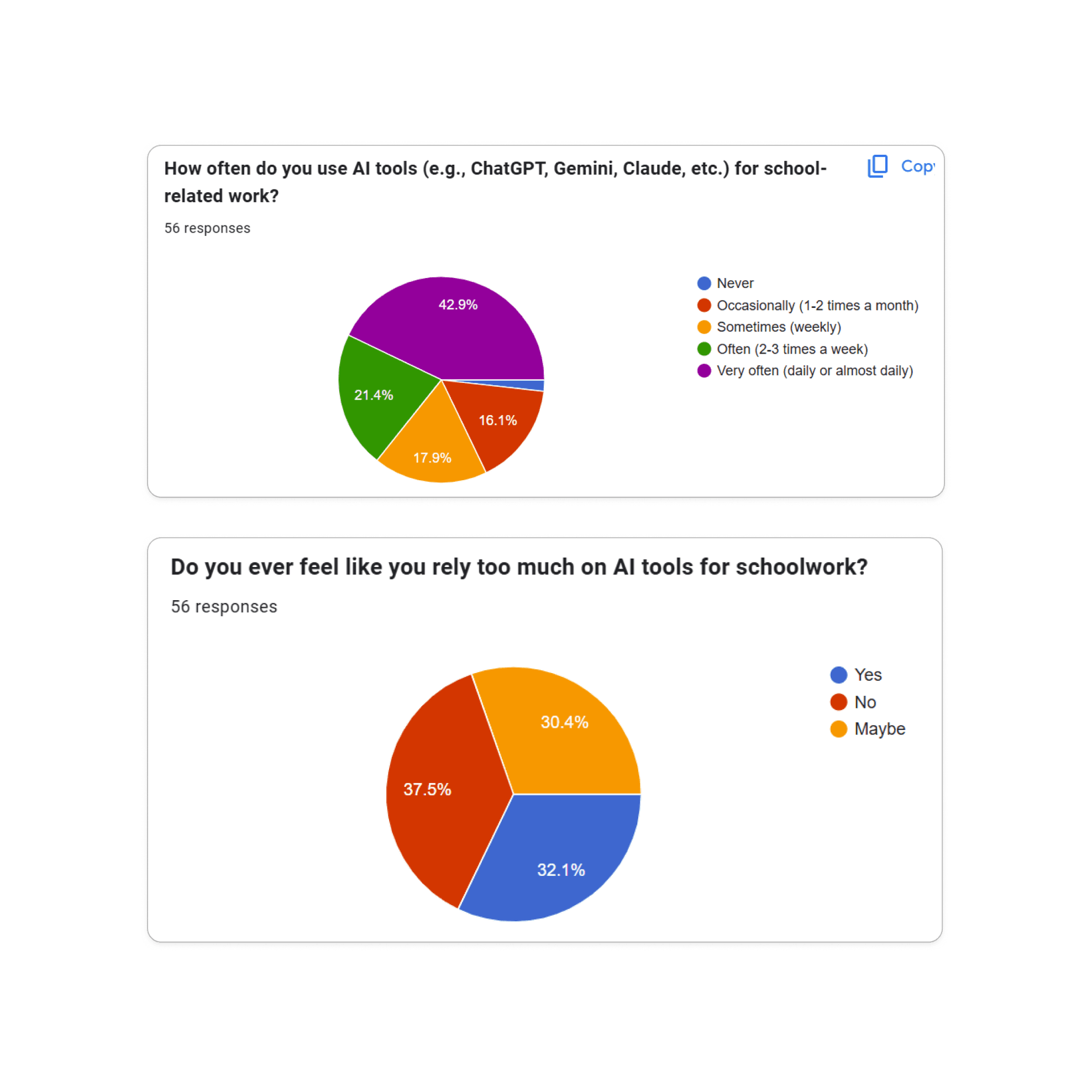
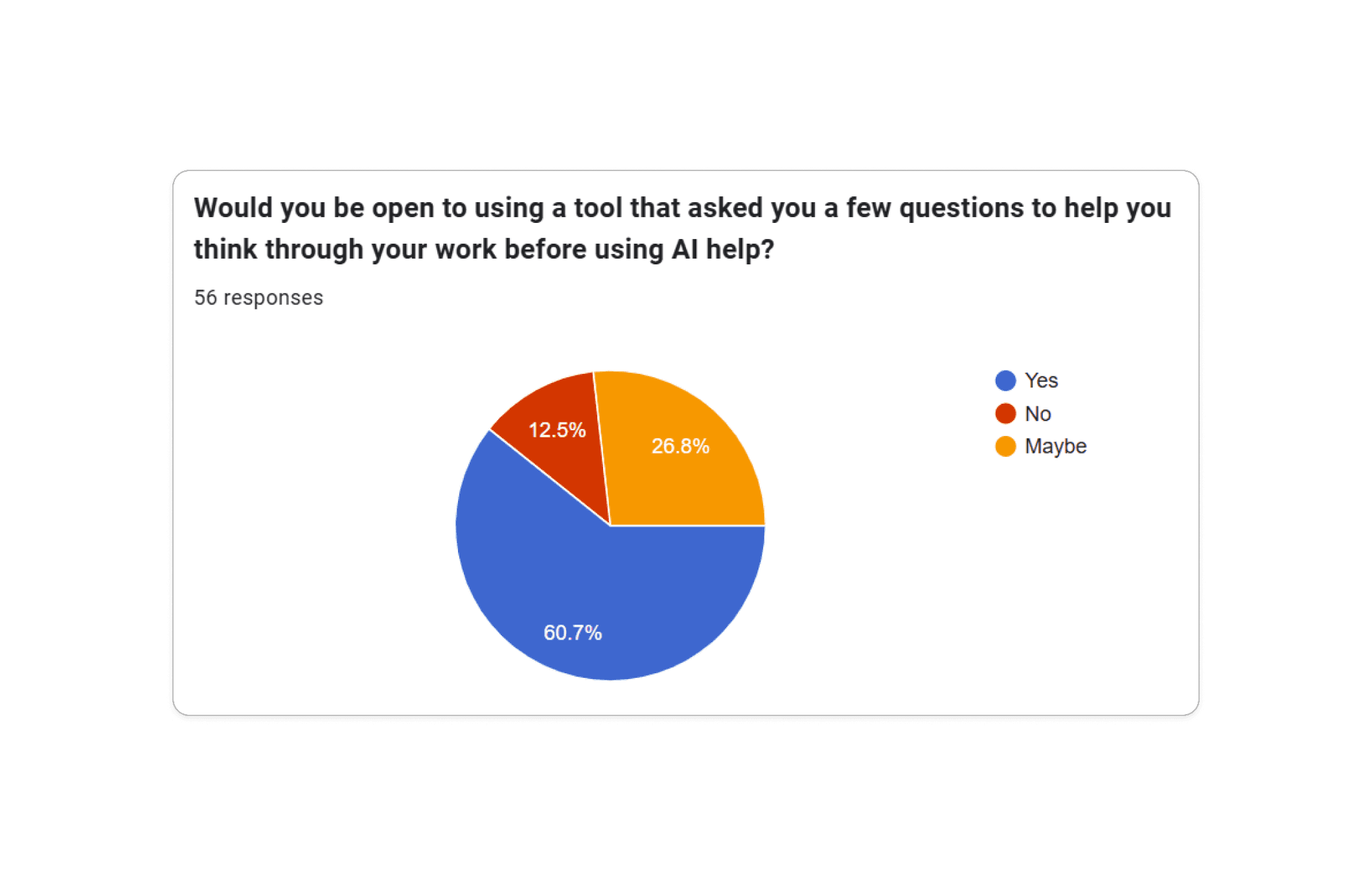
Slide 1 of 2: Survey results on student AI use and interest in reflective support
I was responsible for the literature review. I researched how students learn with tutors, concepts like scaffolding and self-explanation, and how other products were already incorporating AI into learning experiences.
This research helped me understand what we could take from traditional learning and tutoring and apply to an AI-supported experience.
Because the project lasted six weeks, we moved from survey collection into synthesis after one week so we still had enough time to prototype and test.
03 / What we learned
I was also in charge of the survey. The survey showed a gap between how well students thought they understood AI-generated answers and some of their reported behavior.
Although most students said they usually tried to understand the answers AI gave them, 16 acknowledged submitting AI-generated work they did not fully understand or could not explain. This was a significant amount since it showcased an alarming number of students who were utilizing it for their work.
Around two-thirds also said they did, or possibly did, rely too heavily on AI for schoolwork. At the same time, most respondents were open to a tool that asked questions and encouraged them to think before giving them more help.
Across the survey, interviews, and literature review, we found several recurring patterns:
- Students prioritized speed, especially when they were under time pressure
- A polished answer could make students feel more confident in their understanding than they actually were
- Students still wanted guidance when they struggled with difficult material
- Breaking information into smaller pieces could make it easier to work through problems
.png&w=3840&q=75)
-2.png&w=3840&q=75)
-3.png&w=3840&q=75)
Slide 1 of 3: Students reported relying on AI when they were under time pressure, but many still wanted support that encouraged reflection before giving them an answer.
We knew it would be unrealistic to try to prevent students from using AI. Instead, we wanted to explore how we could use it to help students work through material without immediately doing the work for them.
04 / Turning research into design principles
My literature review helped us connect what we were hearing from students and educators with research on how people learn.
We looked at concepts like scaffolding, self-explanation, metacognition, and cognitive load and considered how they could apply to Lyra.
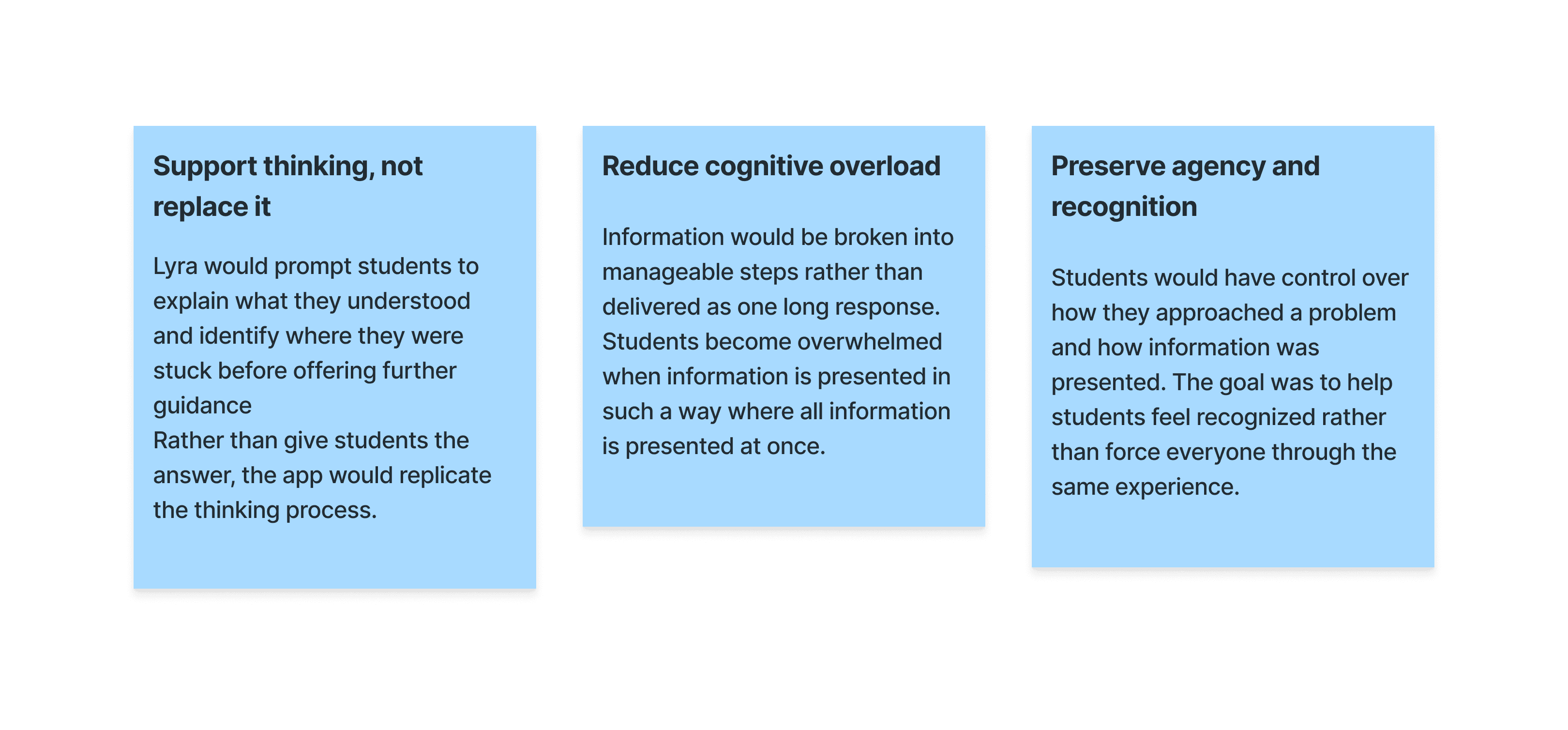
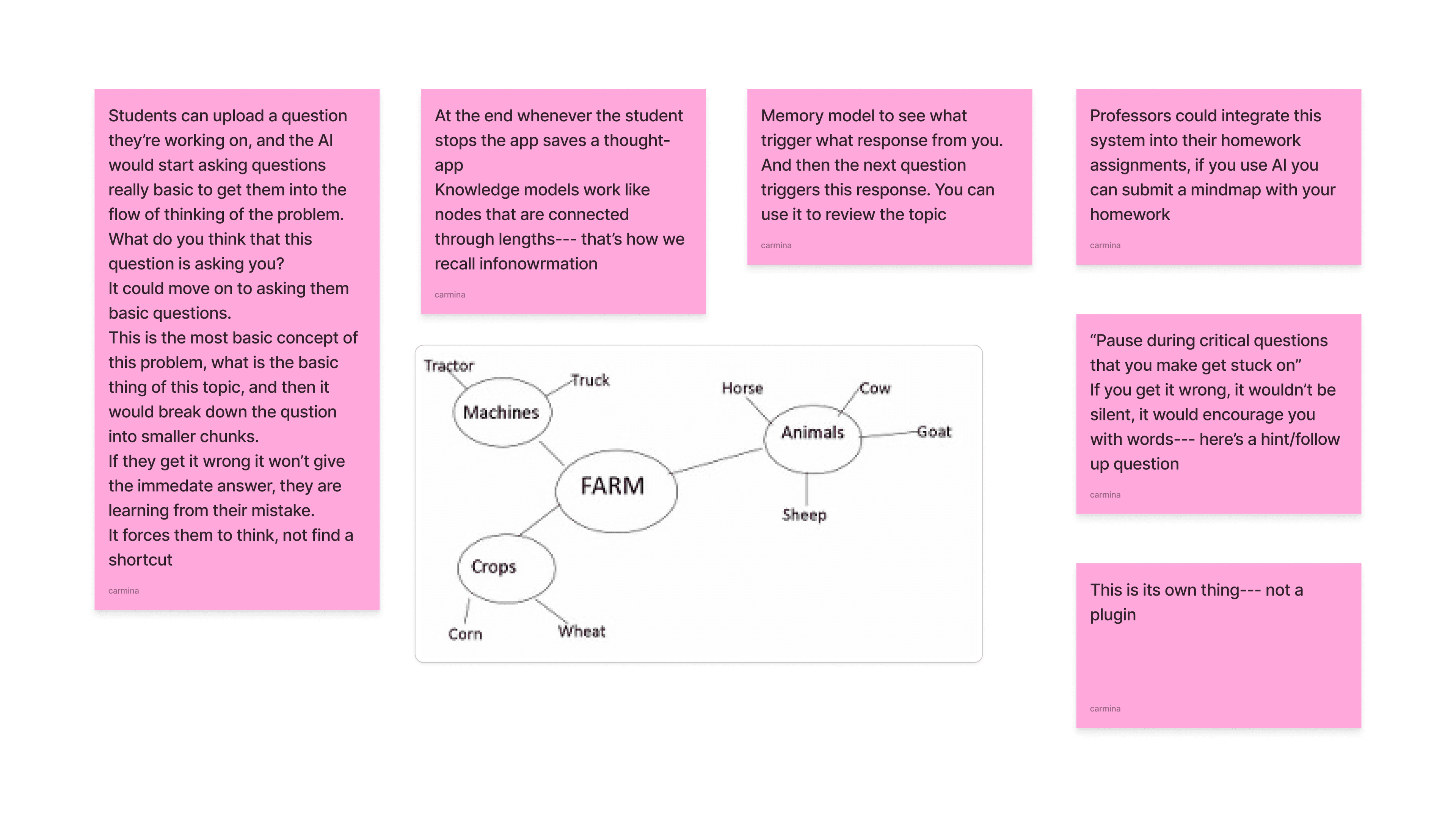
Scaffolding supported breaking difficult problems into smaller steps. Self-explanation supported giving students opportunities to explain their own thinking. Metacognition focused on helping students think about what they understood and where they were still confused. Cognitive load helped us think about how much information students should receive at one time.
These ideas gave us a starting point for designing an experience that encouraged students to participate in the learning process instead of only receiving an answer.
05 / Structuring the experience
We mapped the complete flow before moving into high-fidelity design. One of the challenges was giving students enough structure to support their learning without making Lyra feel restrictive or unnecessarily slow.
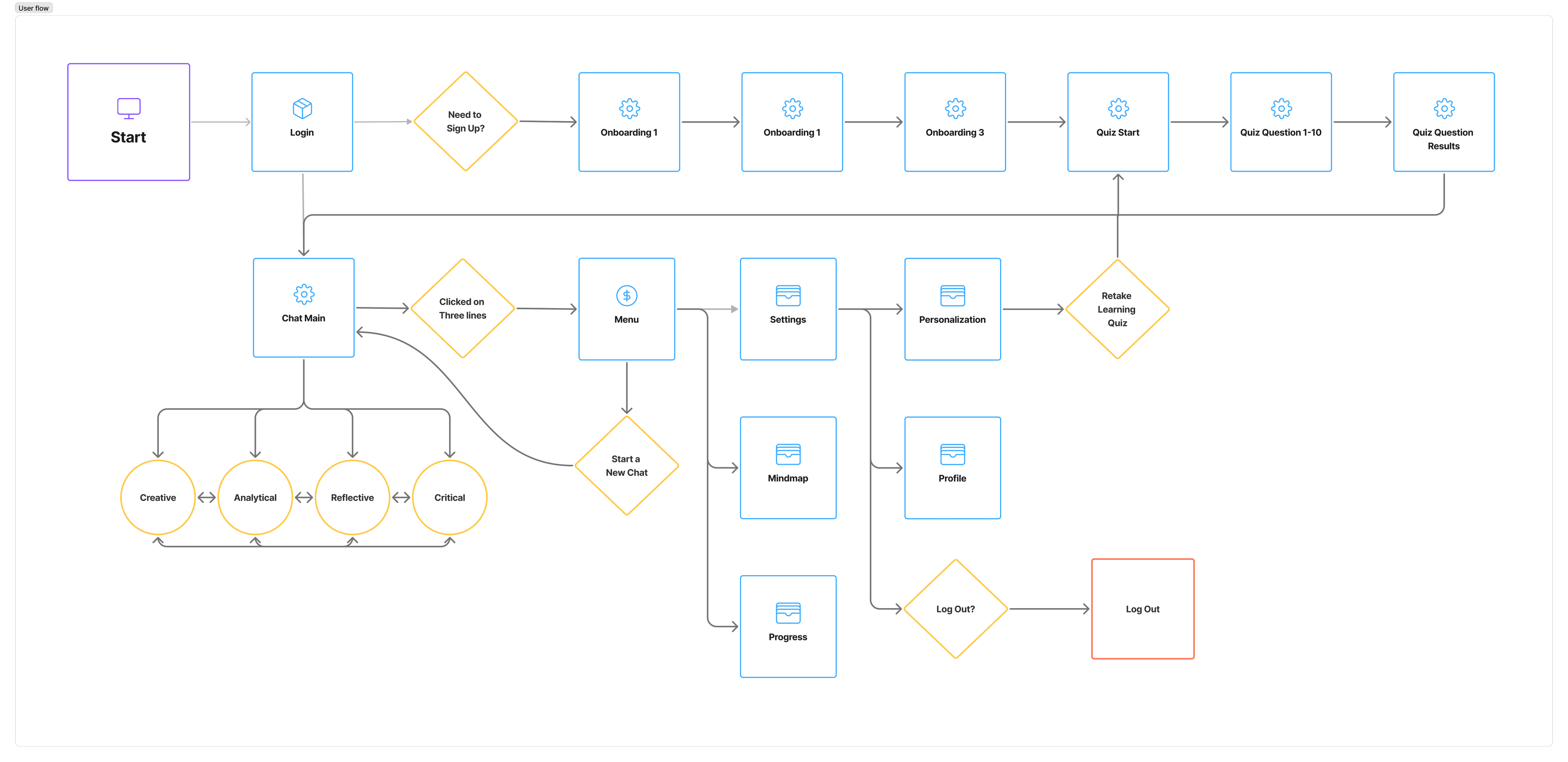
The proposed experience included onboarding, preferences for how information was presented, different modes for approaching tasks, guided conversations, and mind maps for revisiting previous learning.
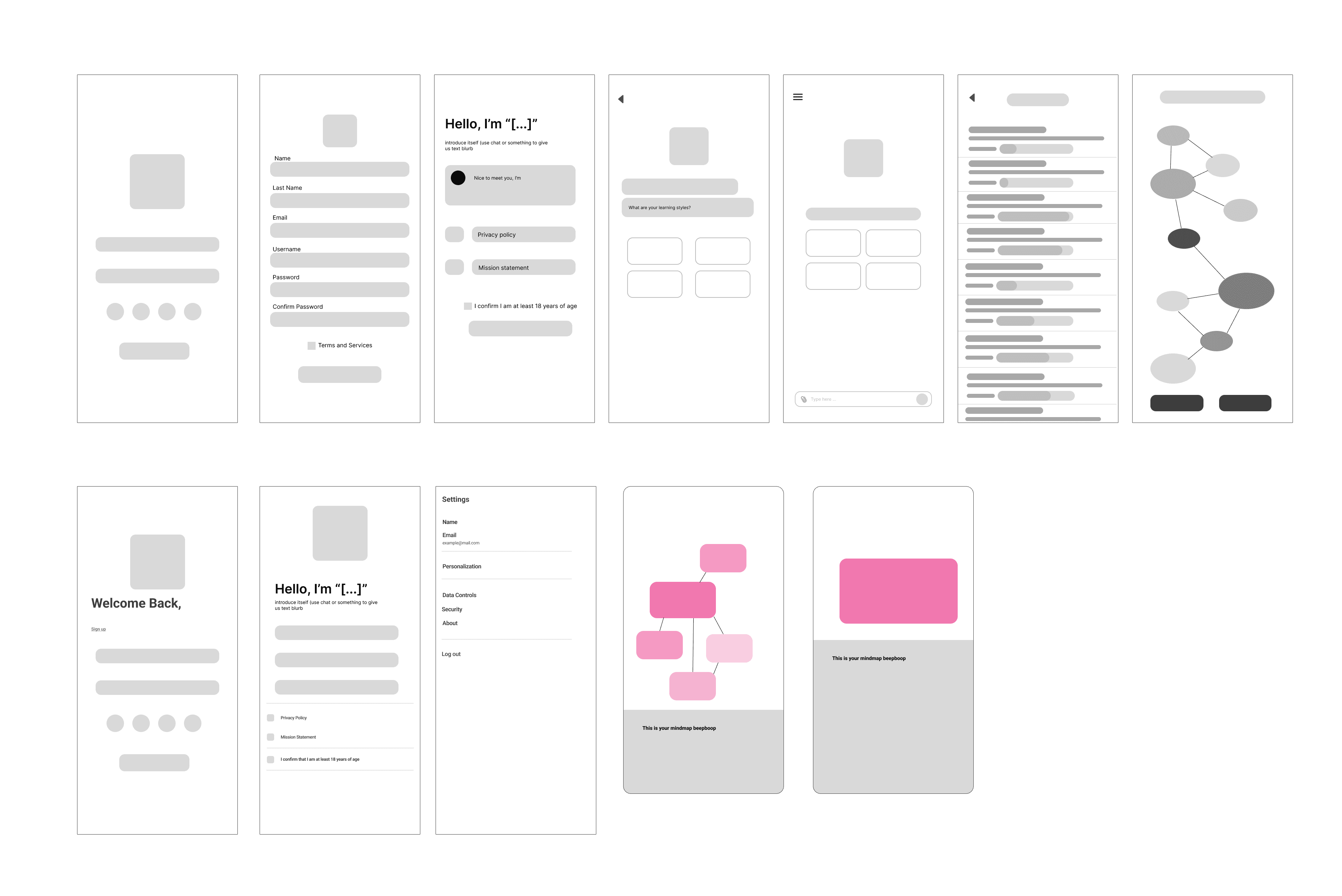
After completing the user flow, I moved on to the wireframes. This helped me explore how the different parts of the experience could work together before moving into the final designs.
06 / Giving students control over their preferences
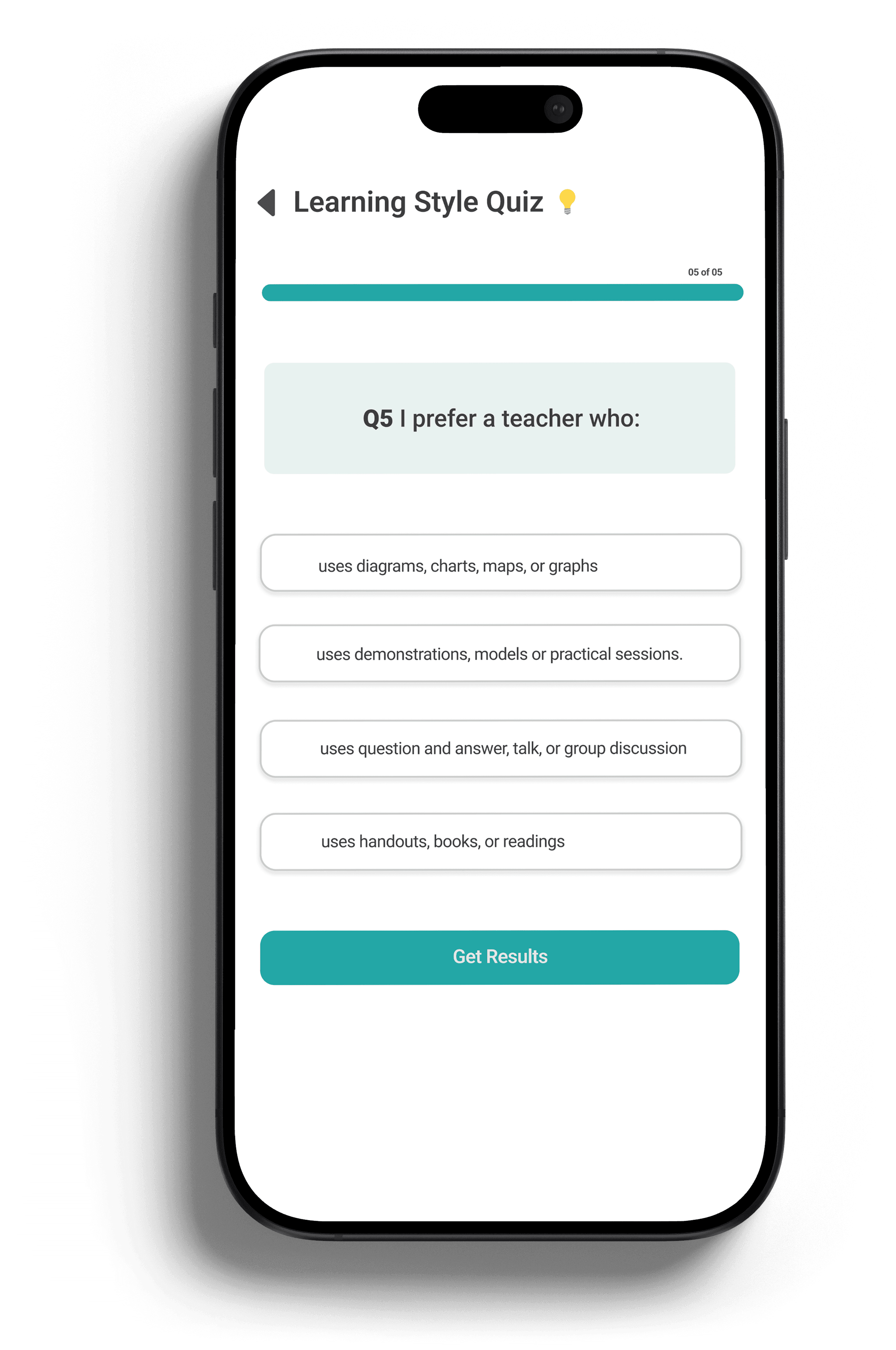
One area I was responsible for was the quiz students could take when setting up their preferences.
Lyra allowed students to choose how they wanted information to be presented. If they were unsure what to select, I designed a short quiz to give them a starting point.
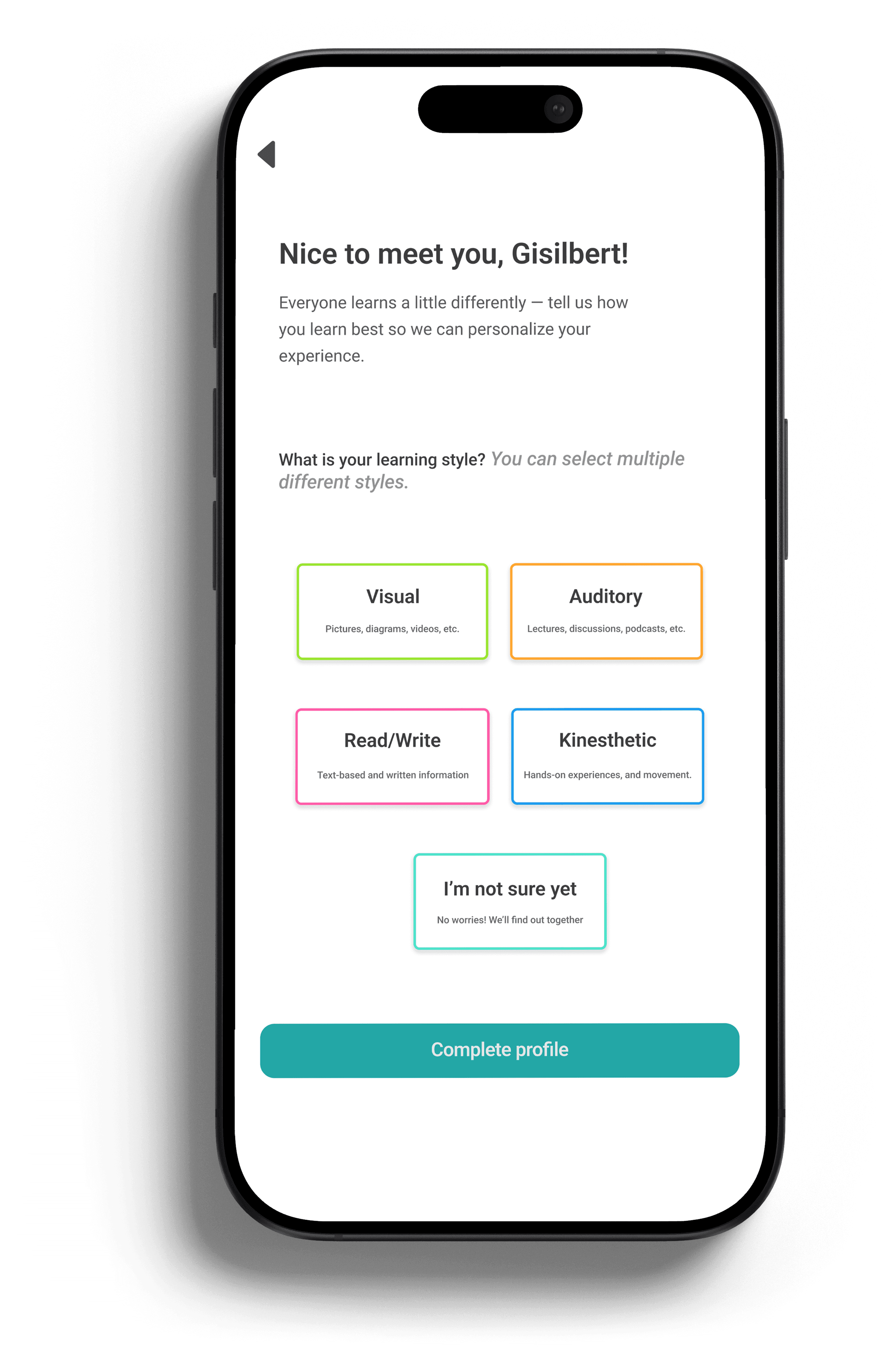
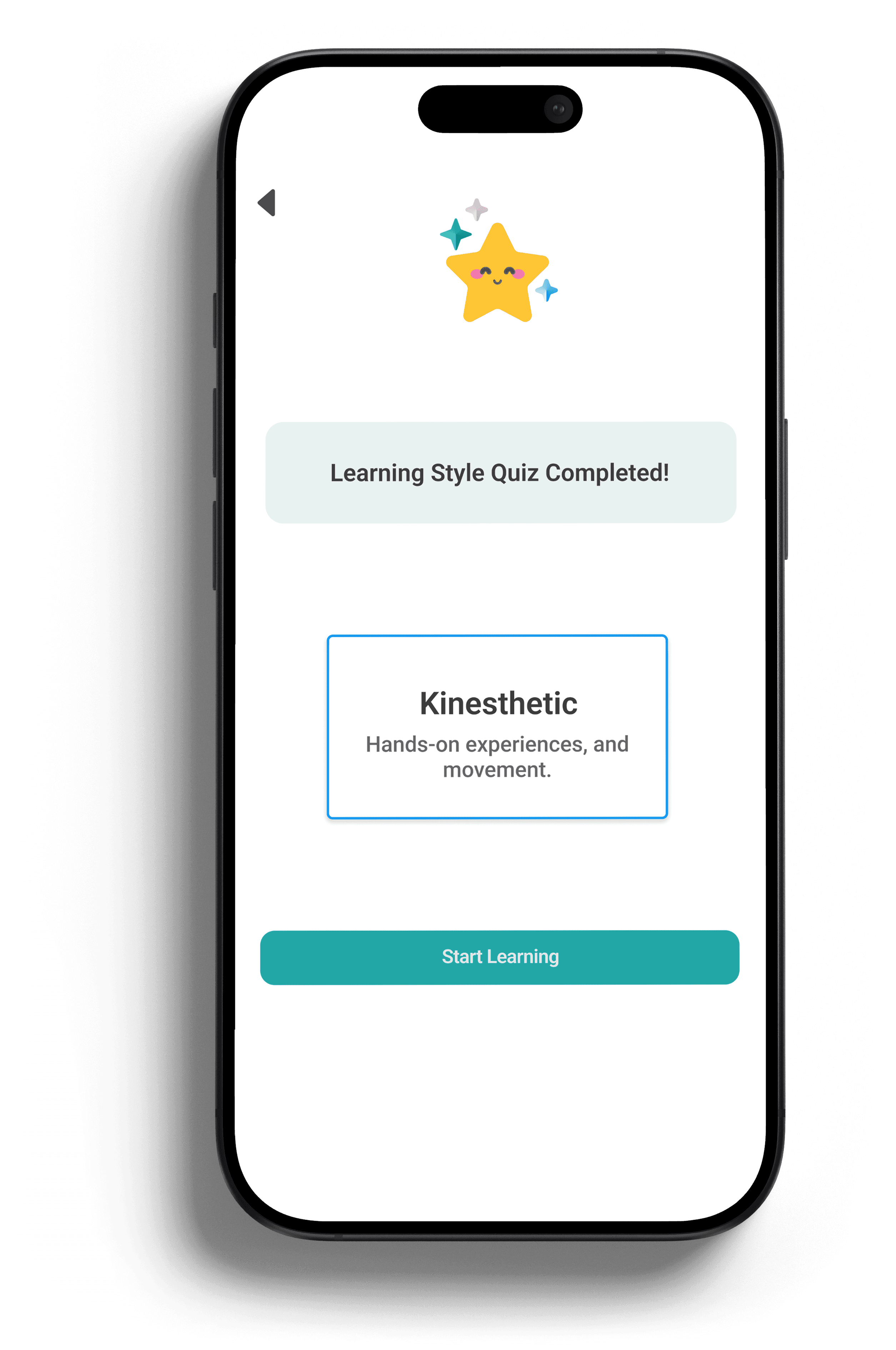
Slide 1 of 3: Students could choose the way they preferred to engage with information before starting a task.
I did not want the quiz to permanently classify someone into one learning style. A student might prefer visual information for one subject and a step by step explanation for another. Because of this, the quiz result was something students could change as they used Lyra.
The goal was to give students more control over how they received help rather than assuming the same type of explanation would work for every person or every task.
07 / Supporting different ways of thinking
Lyra also offered four modes for approaching a task:
- Creative: Explore ideas, possibilities, and connections
- Analytical: Break information into parts and work through relationships
- Reflective: Examine current understanding, uncertainty, and progress
- Critical: Evaluate evidence, assumptions, and alternative interpretations
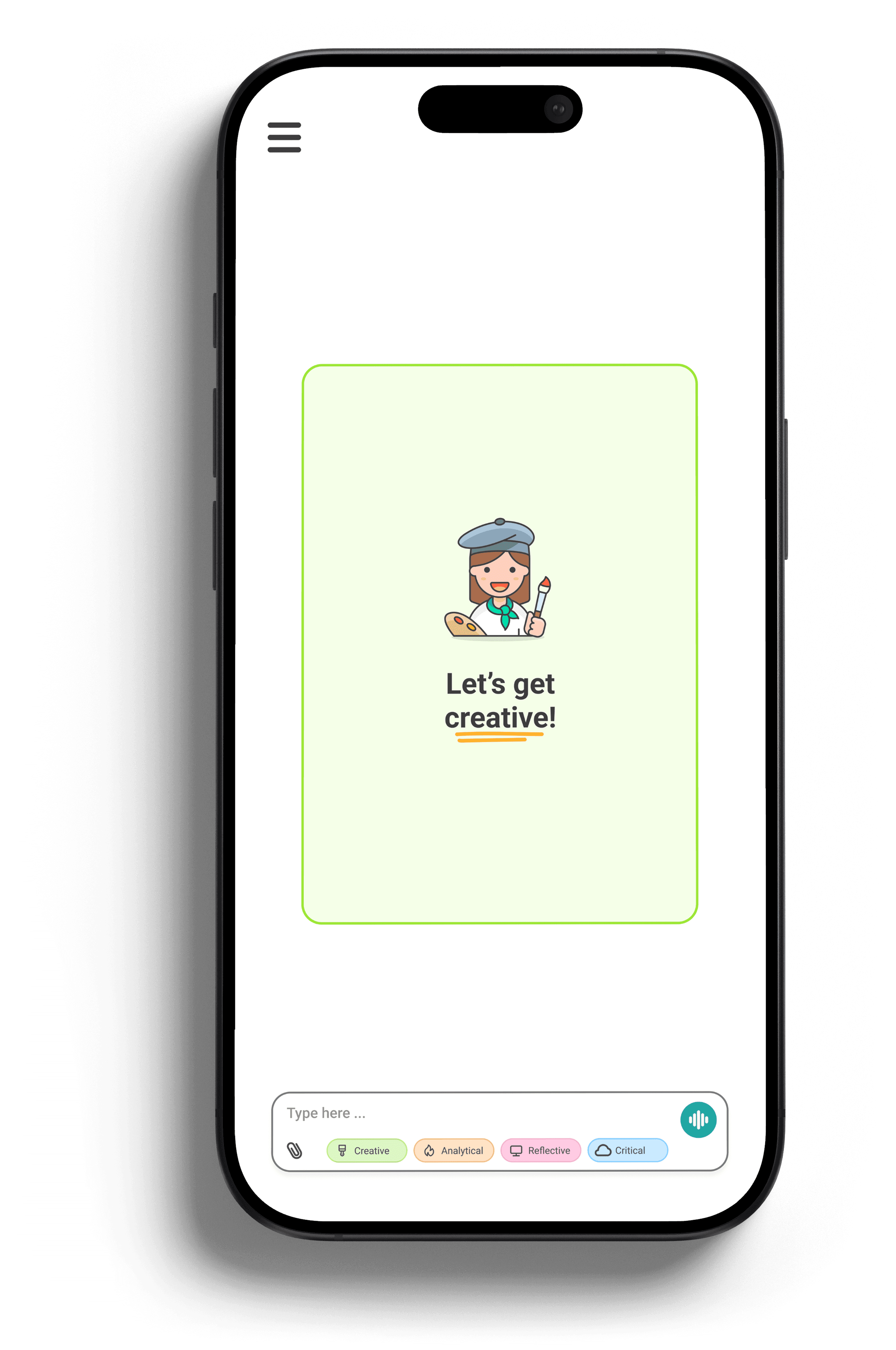
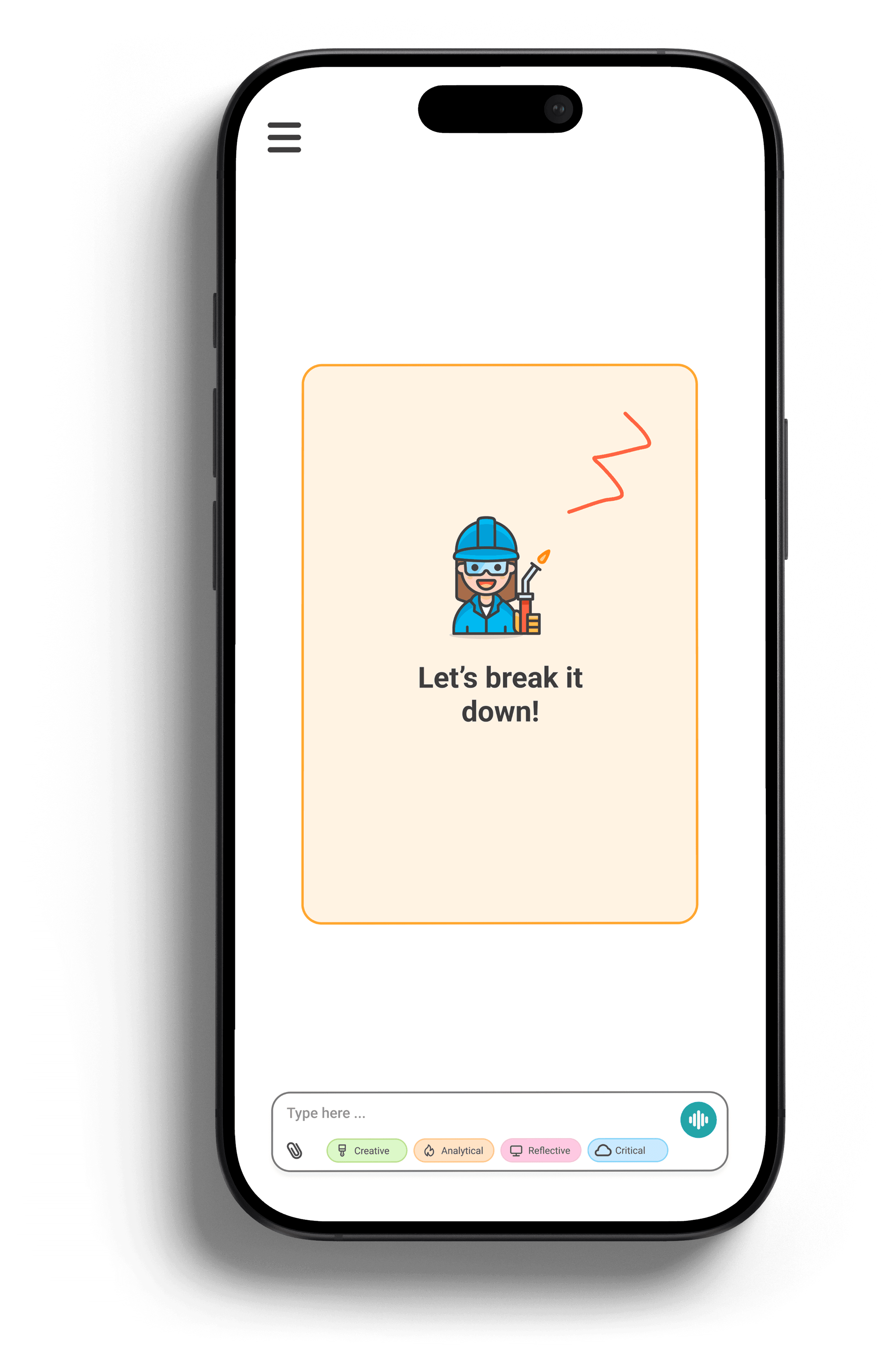
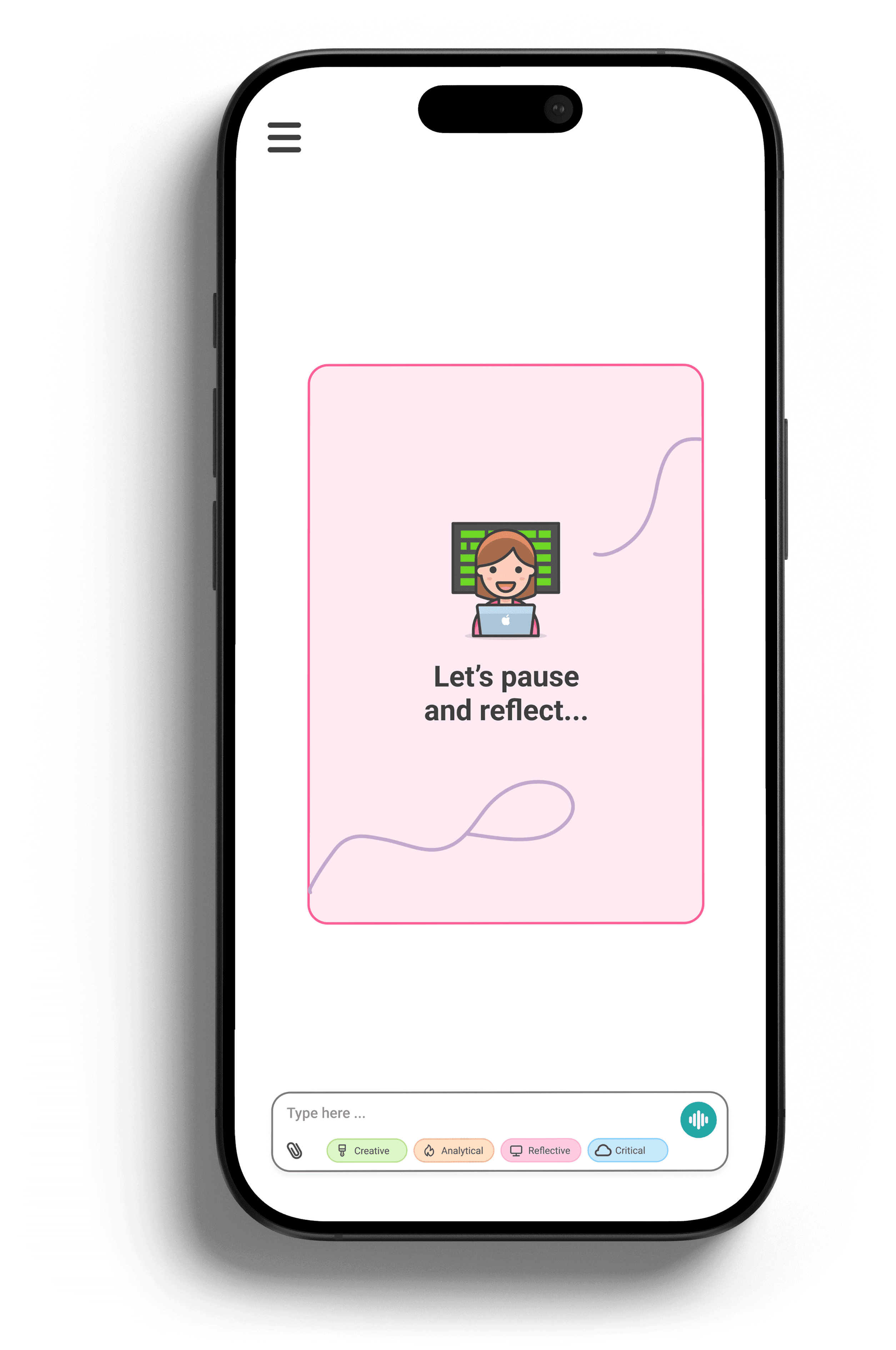
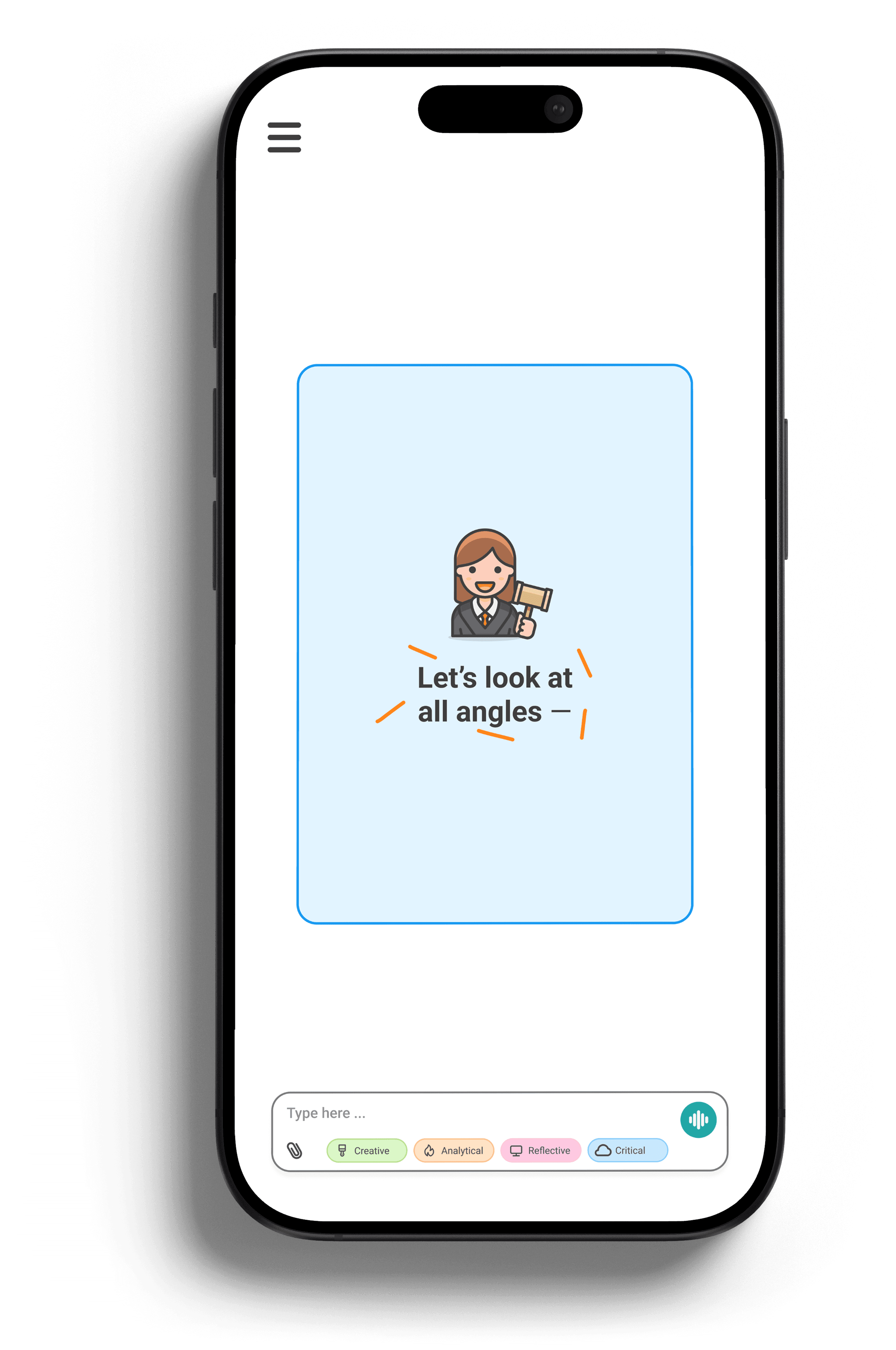
Slide 1 of 4: Creative mode encouraged exploration and helped students generate possibilities before committing to a direction.
The preferences focused on how students wanted information presented to them, while the modes let them choose how they wanted to work through a task.
For example, a student might use Creative mode while brainstorming an essay and switch to Critical mode when evaluating their argument. Students could change modes depending on what they were working on rather than being limited to one approach for every problem.
08 / Guiding students through the problem
The final prototype used a conversational interface to divide complex problems into smaller steps.
Rather than immediately displaying a completed answer, Lyra was designed to ask students questions and encourage them to explain their reasoning as they worked through a problem.
This connected back to our research. Students valued AI because it was fast, so we did not want reflection to feel like a completely separate assignment. Instead, the experience incorporated it into the process of getting help.
The interface supported this through shorter prompts, opportunities to revisit earlier thinking, and optional tools students could use without leaving the main conversation.
09 / Helping students revisit what they learned
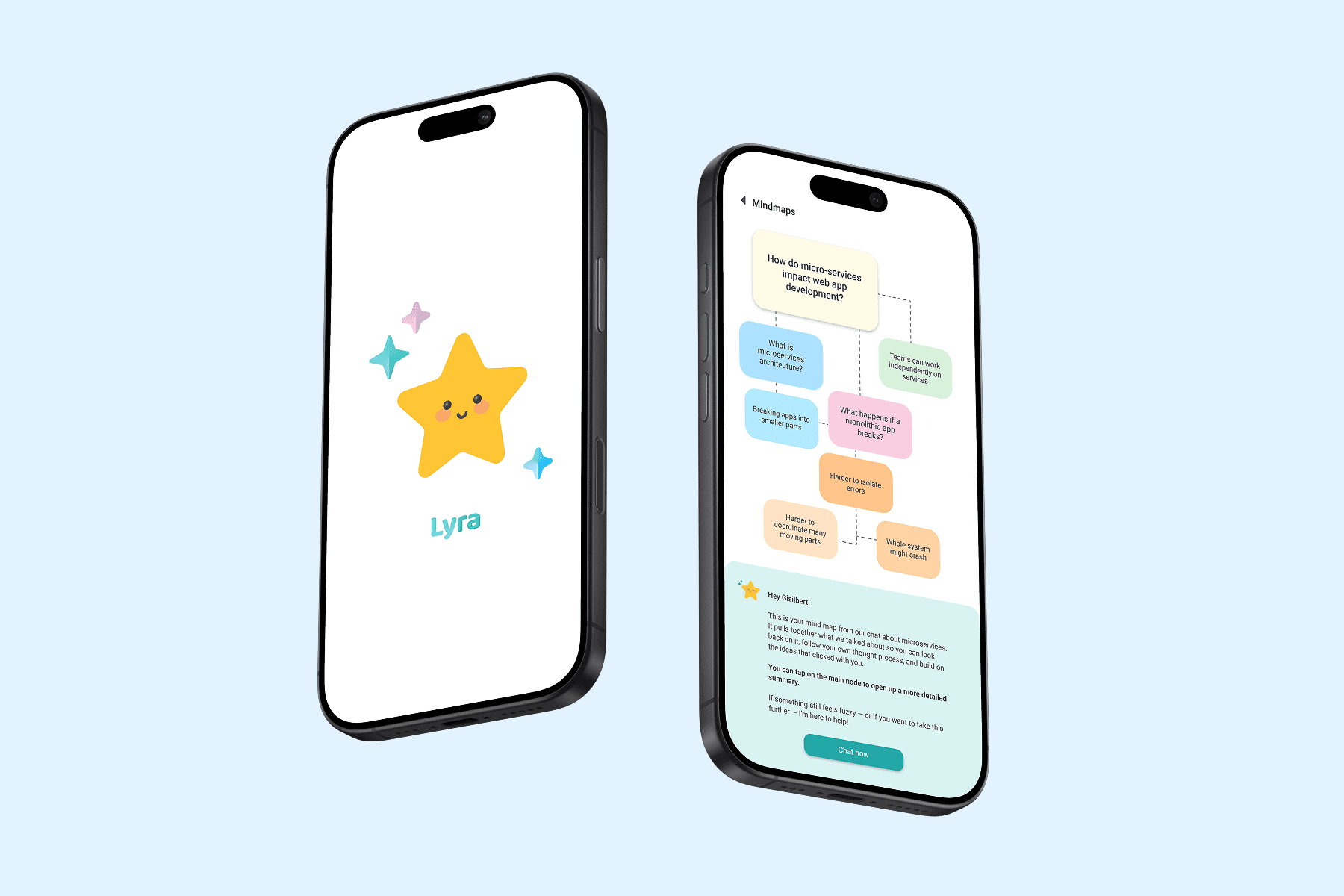
Lyra also included mind maps that organized concepts from a learning session into a visual overview.
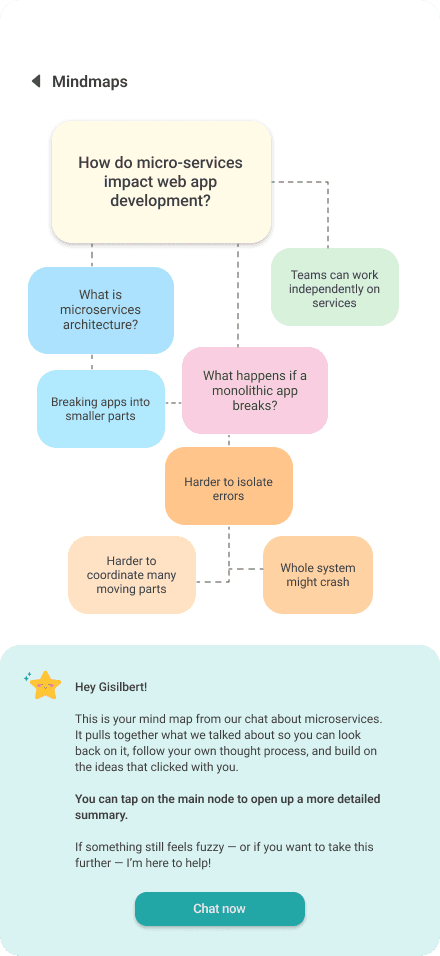
Slide 1 of 2:
My research into learning showed the importance of revisiting information and connecting concepts. This influenced how we thought about what should happen after the initial conversation.
Instead of requiring students to reread an entire conversation, the mind map gave them a faster way to return to concepts they had already covered and see how different ideas connected. Students could revisit an earlier concept or identify something they wanted to continue working on. It gave them a way to review what they had covered instead of having the learning experience end when the conversation did.
10 / Testing the prototype
We tested the high-fidelity prototype with five participants to evaluate its clarity, navigation, and overall experience.
Four of the five participants completed the guided flow without assistance. Participants understood the purpose of the reflective questions, and breaking information into smaller prompts made the guidance easier to process.
Because of the six-week timeline, we were not able to make another round of changes after testing. With another iteration, I would have focused on testing with more students and designing more of the conversation states.
11 / Outcome and reflection
Over six weeks, our team took Lyra from research to a high-fidelity prototype that we tested with students. This project changed how I thought about designing with AI. I started thinking less about what AI could do for students and more about how the way it responds and presents information could affect what students actually do with it. With more time, I would test Lyra with a larger group and compare it with a more traditional answer-first AI experience.