Wakefern · ShopRite LPGA Classic
Designing a connected tournament experience
A mobile and desktop platform designed to centralize personalized schedules, tournament information, wayfinding, communications, and administrative needs for the ShopRite LPGA Classic.
- Product definition
- Information architecture
- User flows
- Competitive research
- Interface design
- Prototyping
- Cross-functional collaboration
- Client
- Wakefern
- Role
- UX & Product Design Intern
- Timeline
- February–May 2026
- Discipline
- Product Design, Systems
- Status
- Approved for production
65,000+
Event scale
2
Connected experiences
iOS · Android · Desktop
Platforms
01 / The challenge
The ShopRite LPGA Classic is a three-day golf event that brings together sponsors, participants, staff, professional players, and more than 65,000 attendees. As part of the event, the Pro-Am allows sponsors to play alongside professional golfers while connecting with other sponsors and participants. The tournament also raises money for more than 73 charities.
For sponsors, important information was spread across emails, spreadsheets, PDFs, and other sources. During a live event, they needed an easier way to know what was happening, where they needed to be, and what information applied to them.
For Wakefern, the challenge was managing all of that information while creating a better experience for sponsors. Since sponsors are a key aspect of the event, creating one digital platform helps ensure that the experience is seamless for them. By improving the sponsor experience, Wakefern hoped to strengthen relationships with sponsoring companies, encourage continued partnerships, and ultimately support the event’s fundraising goals.
The project began with a conversation with executive leadership and a requirements packet containing features and information they believed would be valuable during the event. The proposed platform included several audiences, unfamiliar golf terminology, and workflows that were still being clarified.
How might we turn evolving requirements for multiple audiences into a focused, connected tournament experience?
02 / The solution
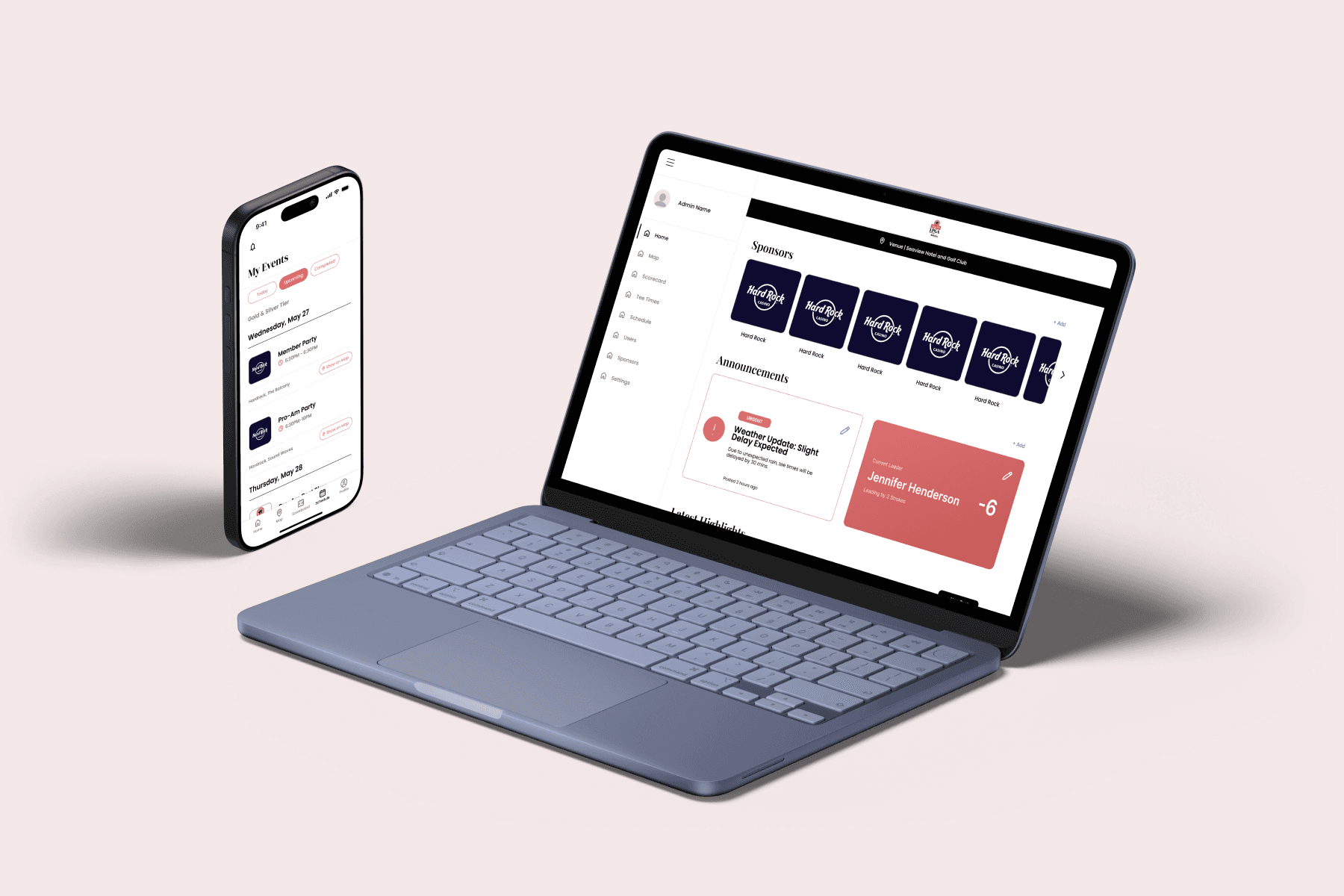
We designed two connected experiences: a mobile application supporting sponsors to navigate the tournament and a desktop platform allowing administrators control over the information behind it.
Slide 1 of 3: Sponsor home
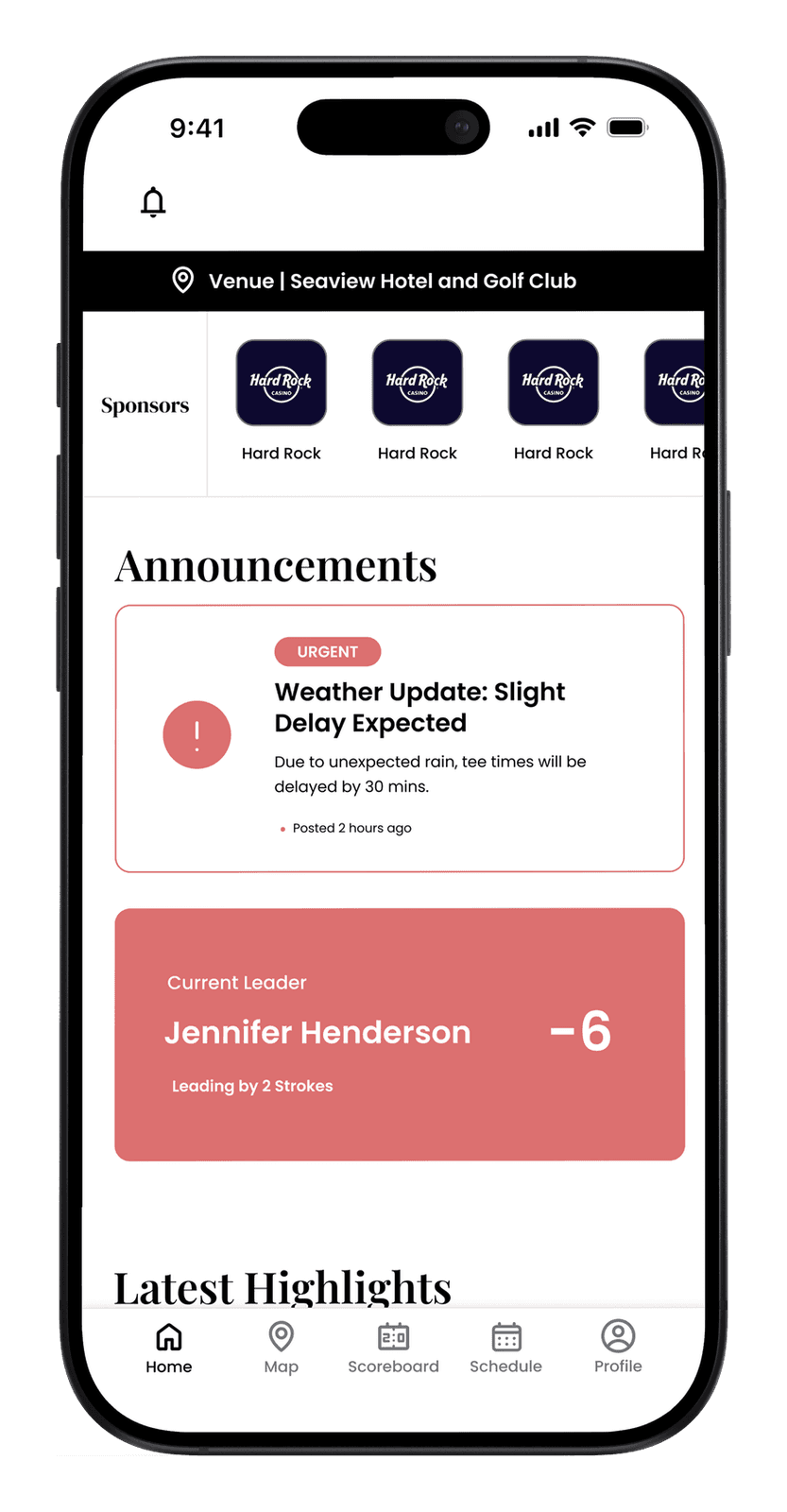
A personalized sponsor experience
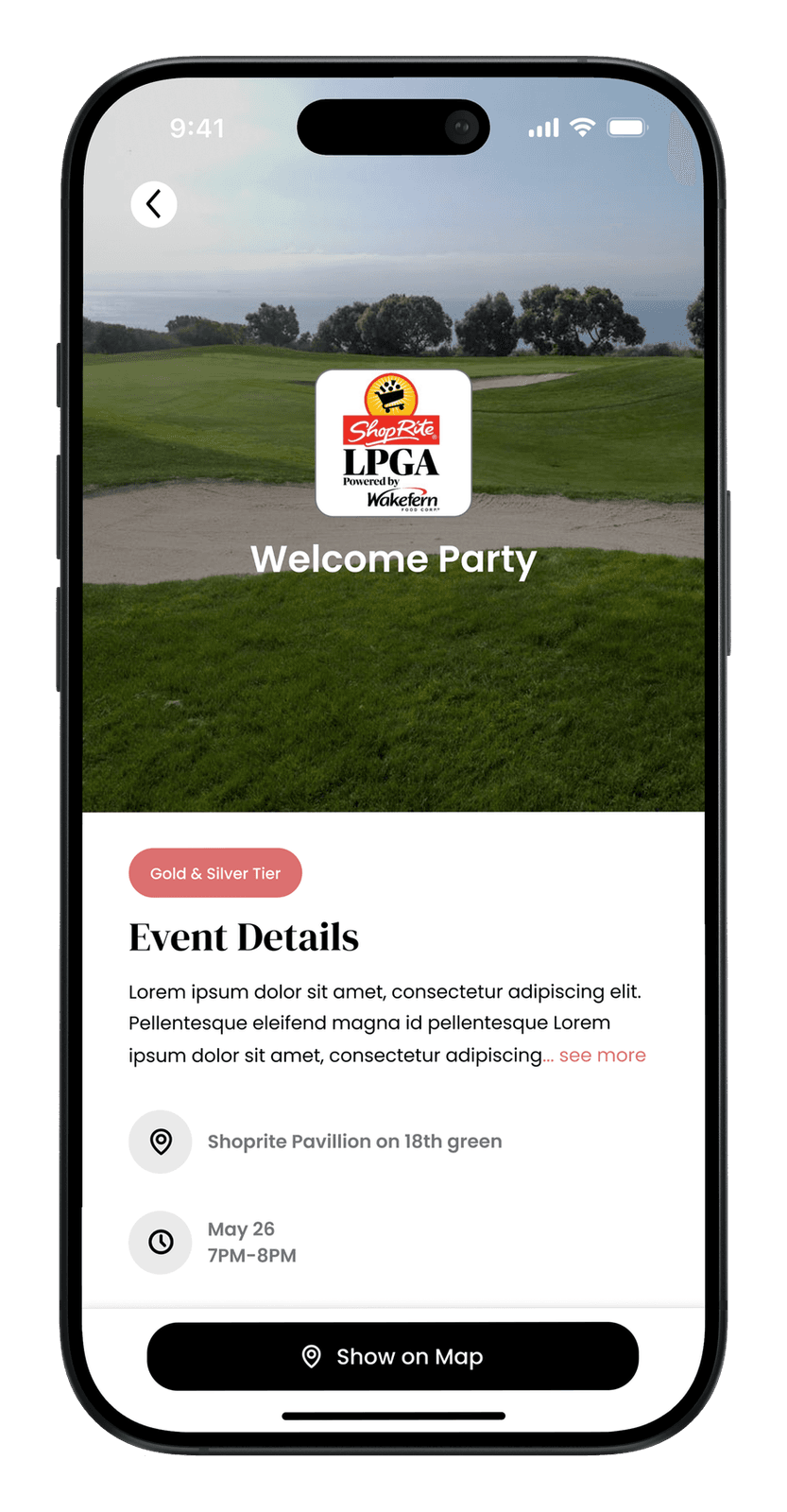
Sponsors could access relevant schedules, hospitality information, event details, announcements, and tournament content in one place.
Slide 1 of 4: Map
Tournament information and wayfinding
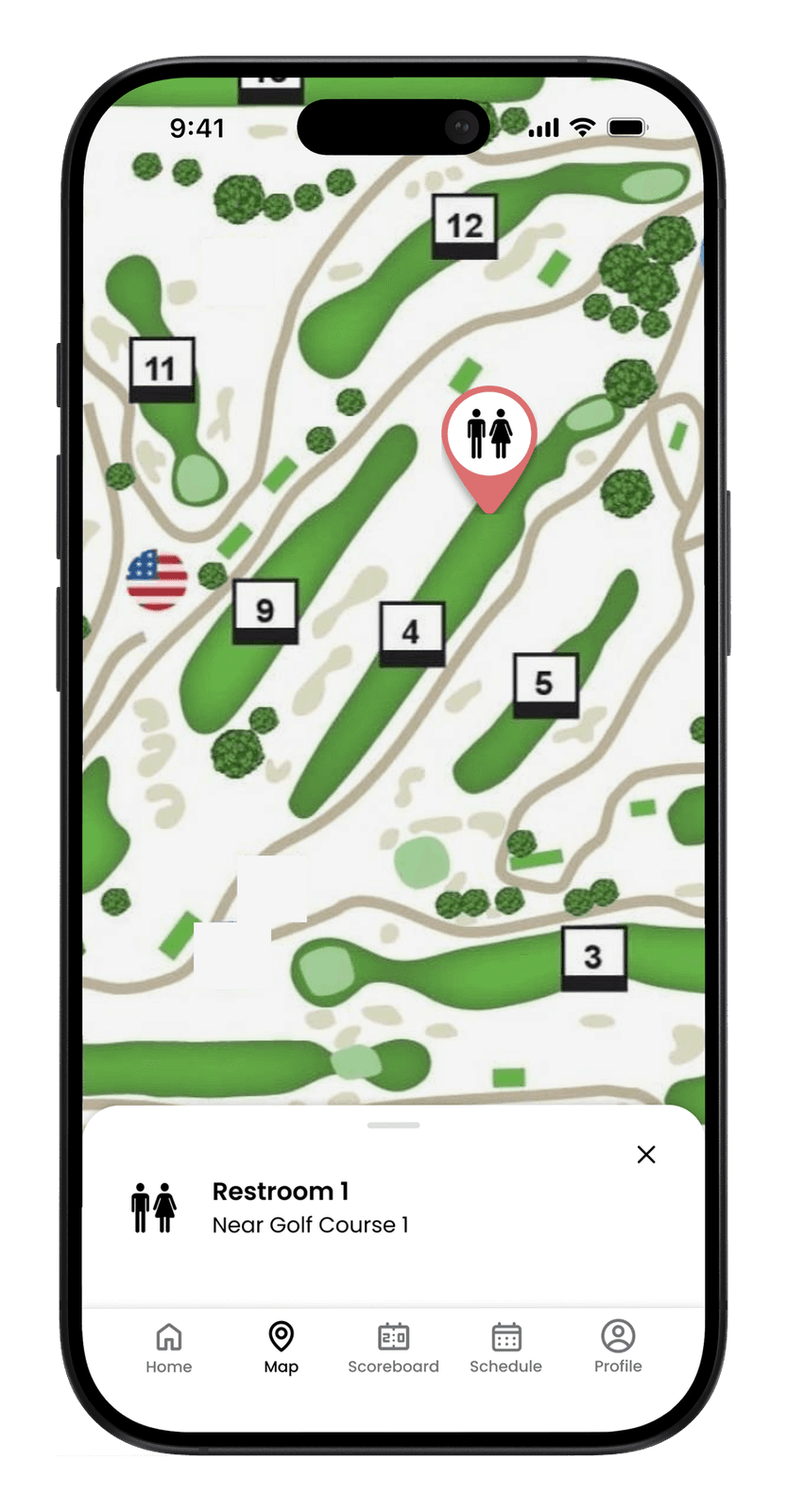
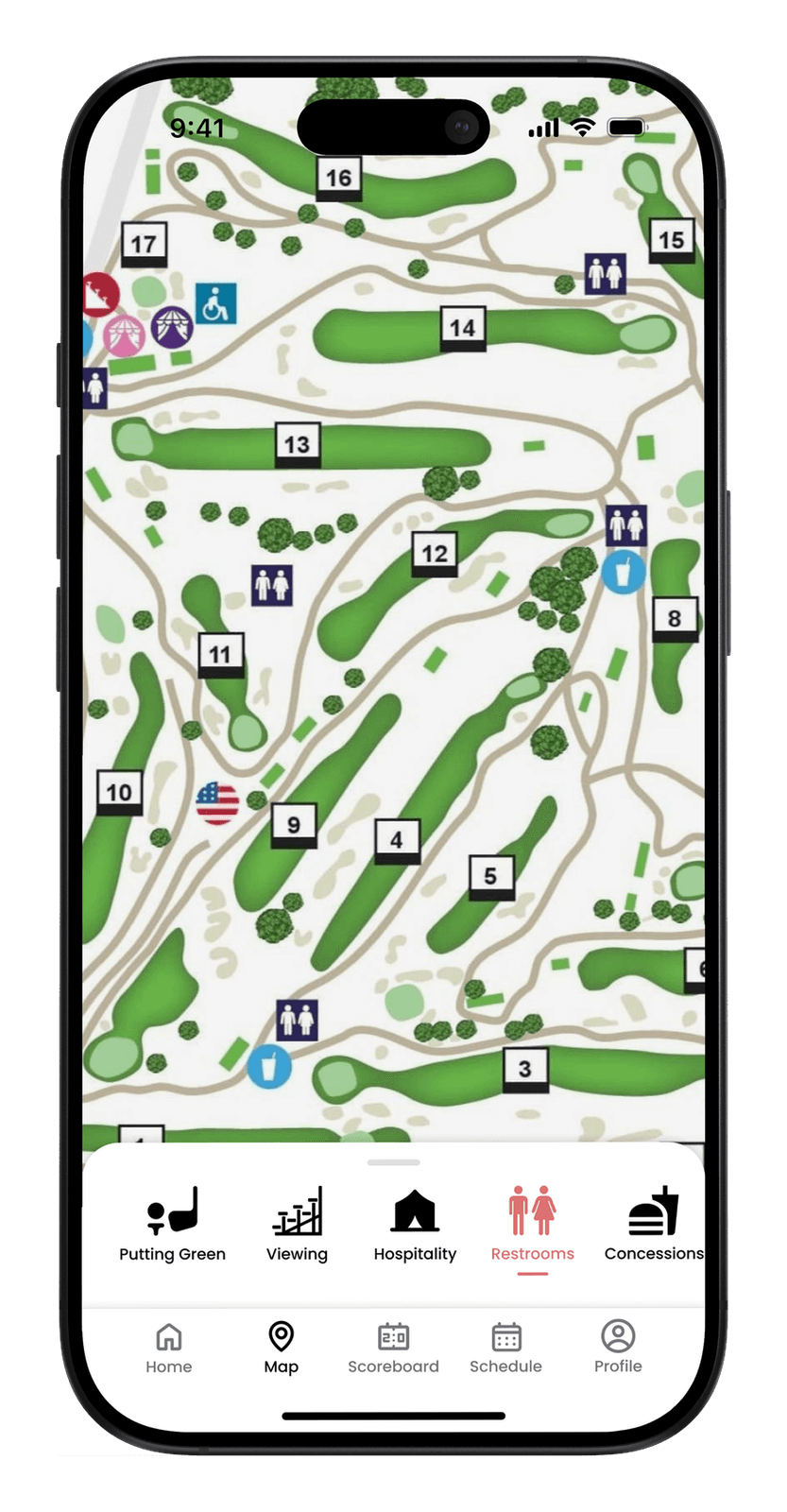
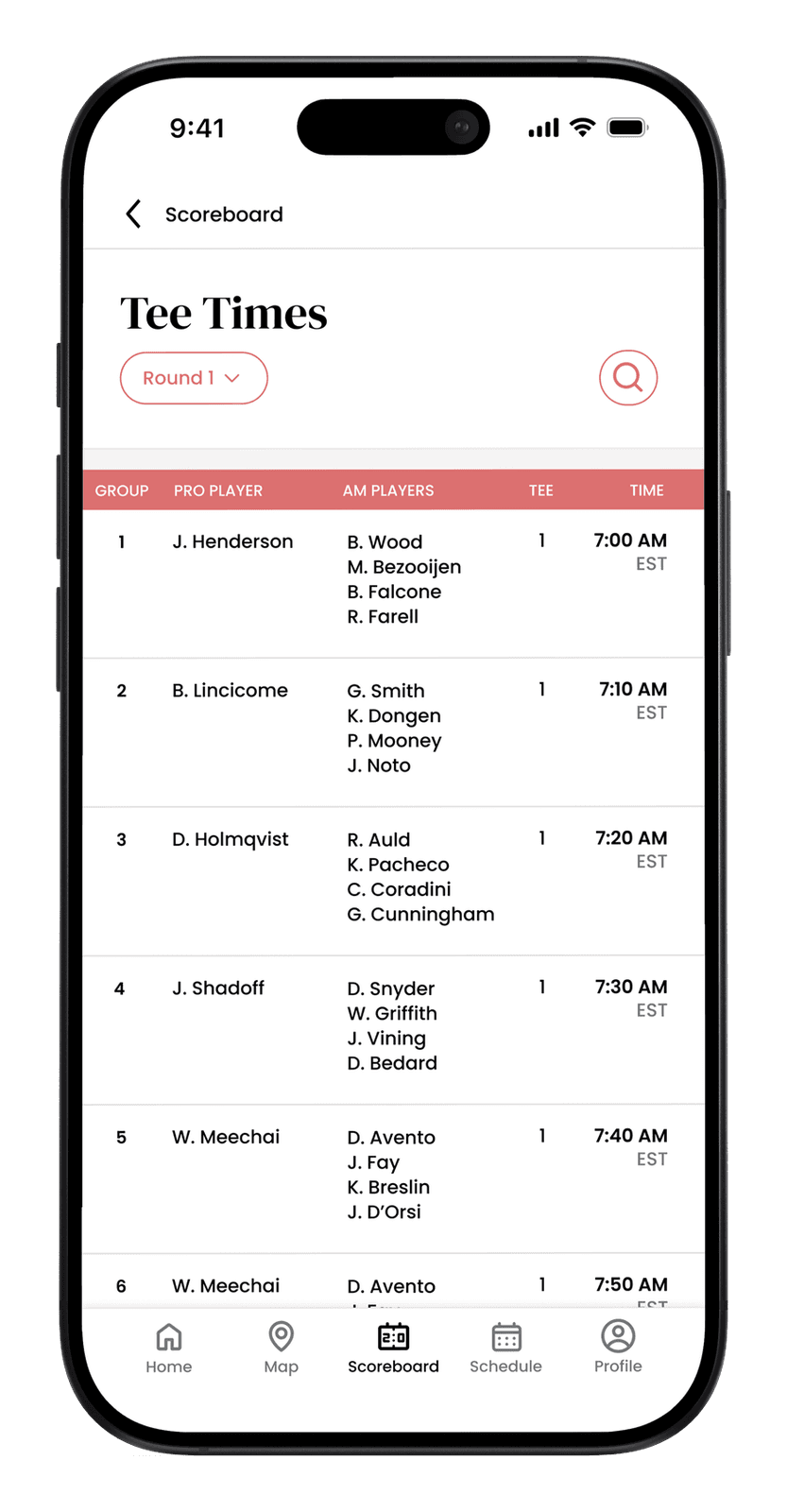
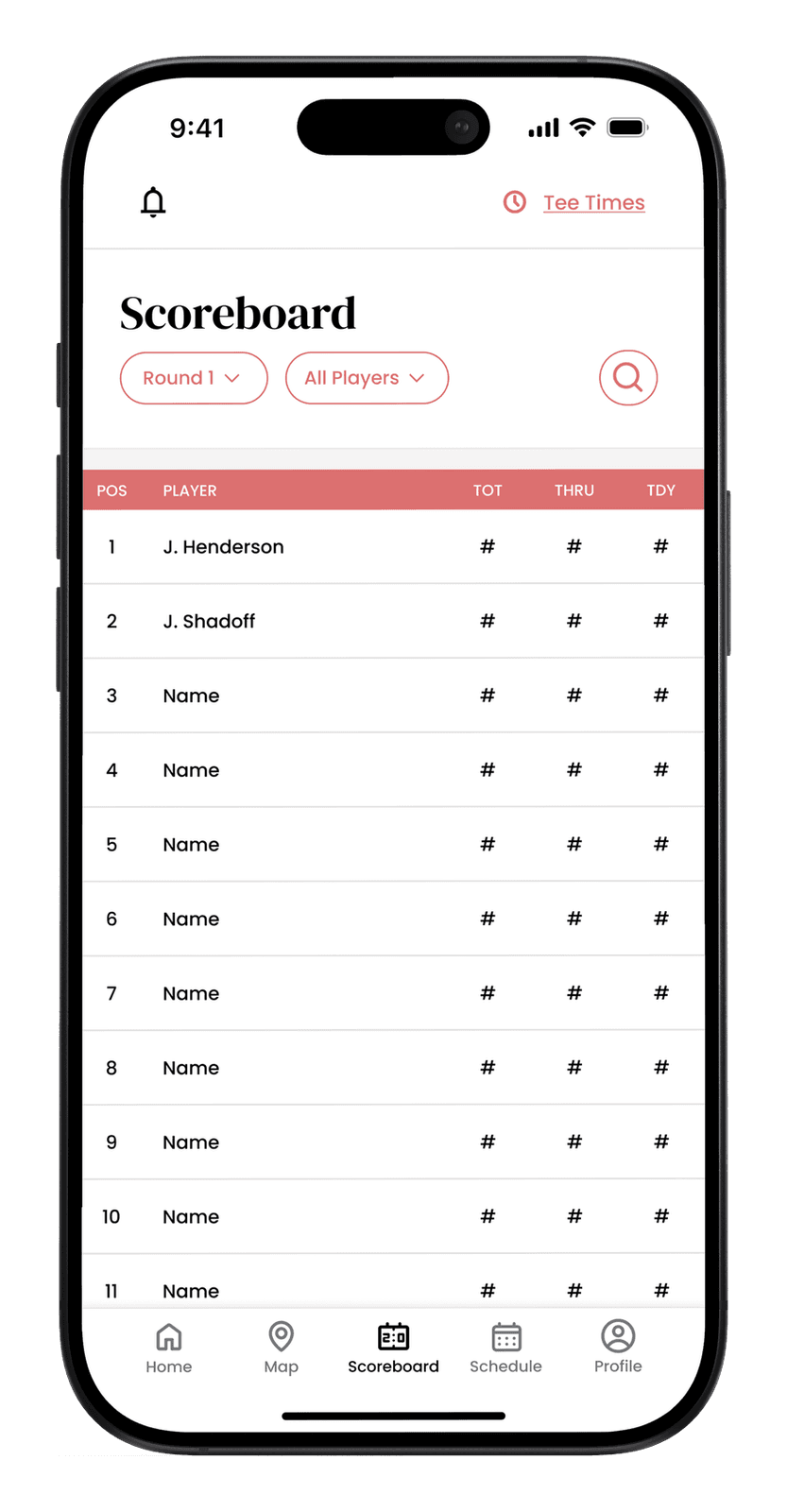
Maps, tee times, scoreboards, player profiles, news, and announcements helped users find important information throughout the event.
Slide 1 of 2: Admin home
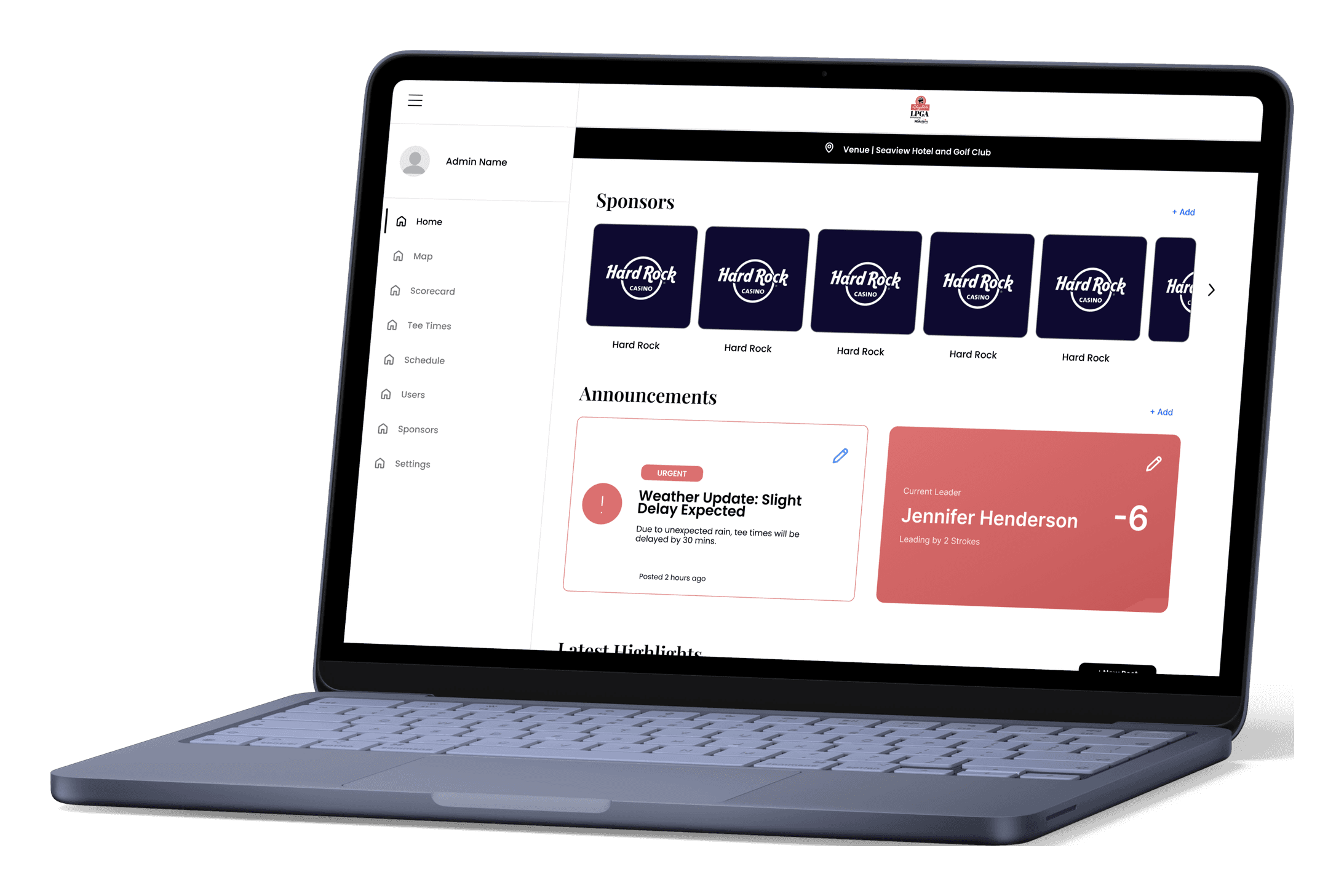
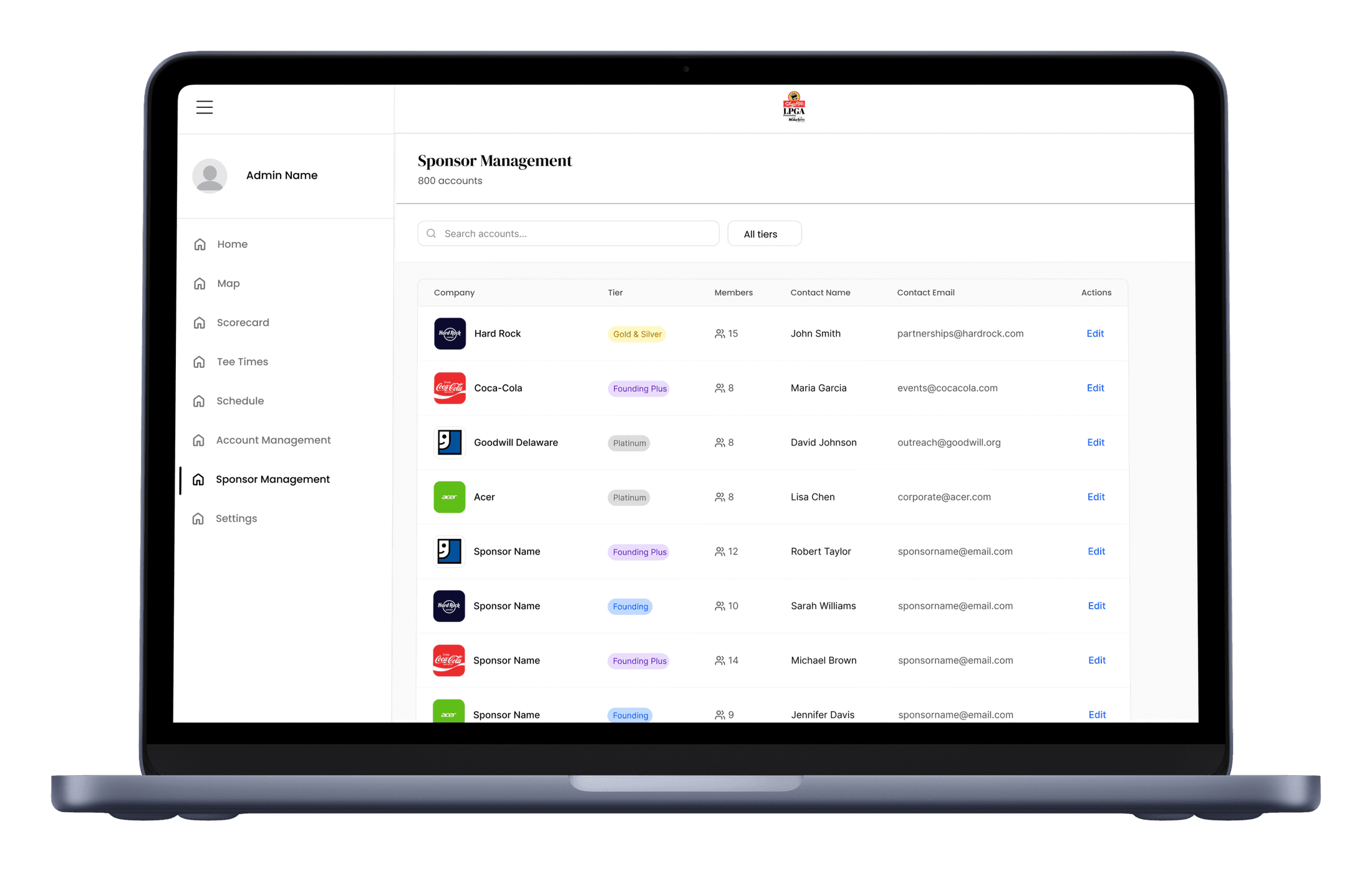
Administrative control
A desktop experience allowed staff to manage sponsors, accounts, access, announcements, schedules, and platform content.
03 / Creating an initial product structure
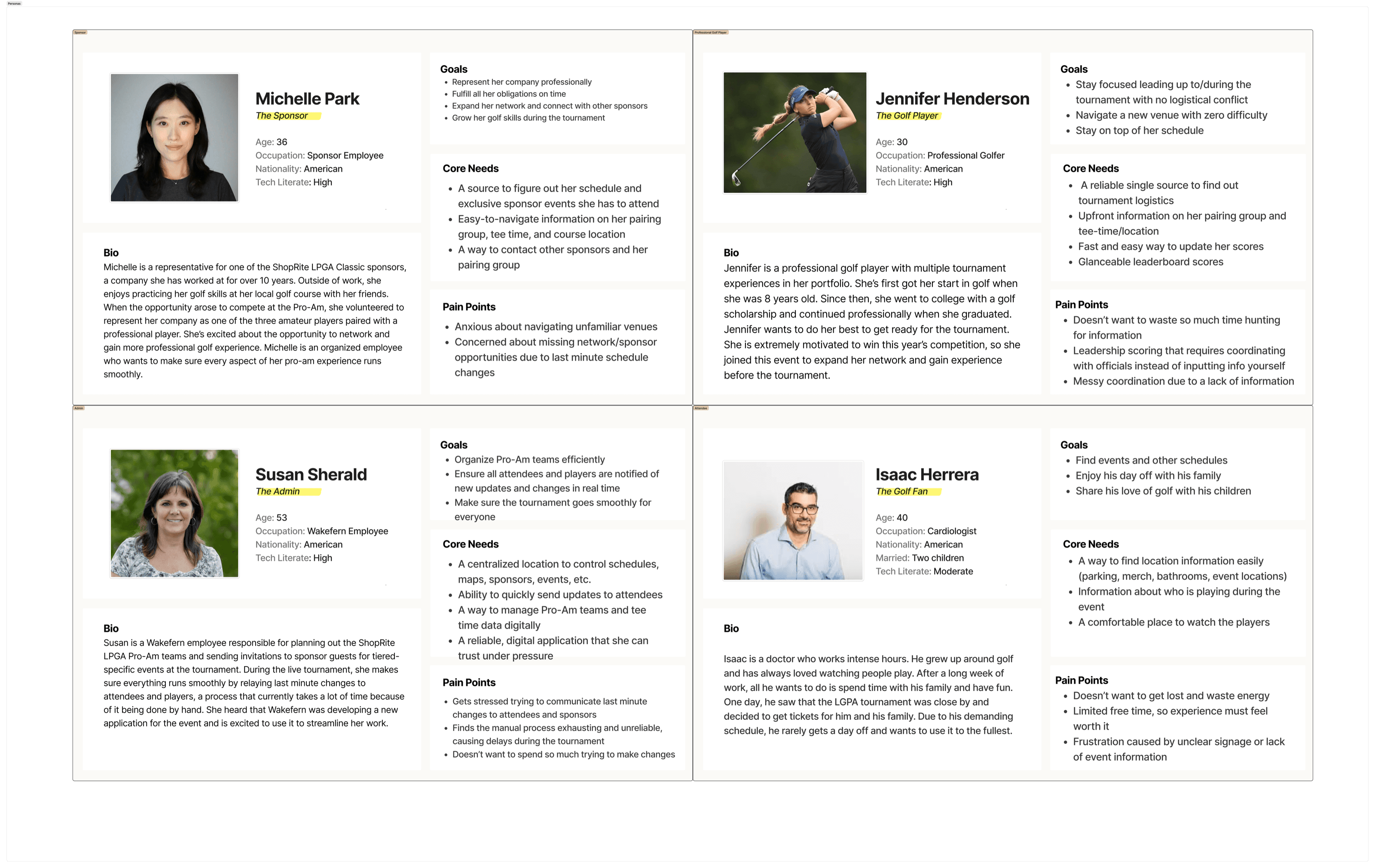
Without direct access to end users, we created working personas based on the people most likely to use the platform. They were not meant to represent validated user research, but gave us a starting point for thinking through each audience’s goals, information needs, and access requirements.

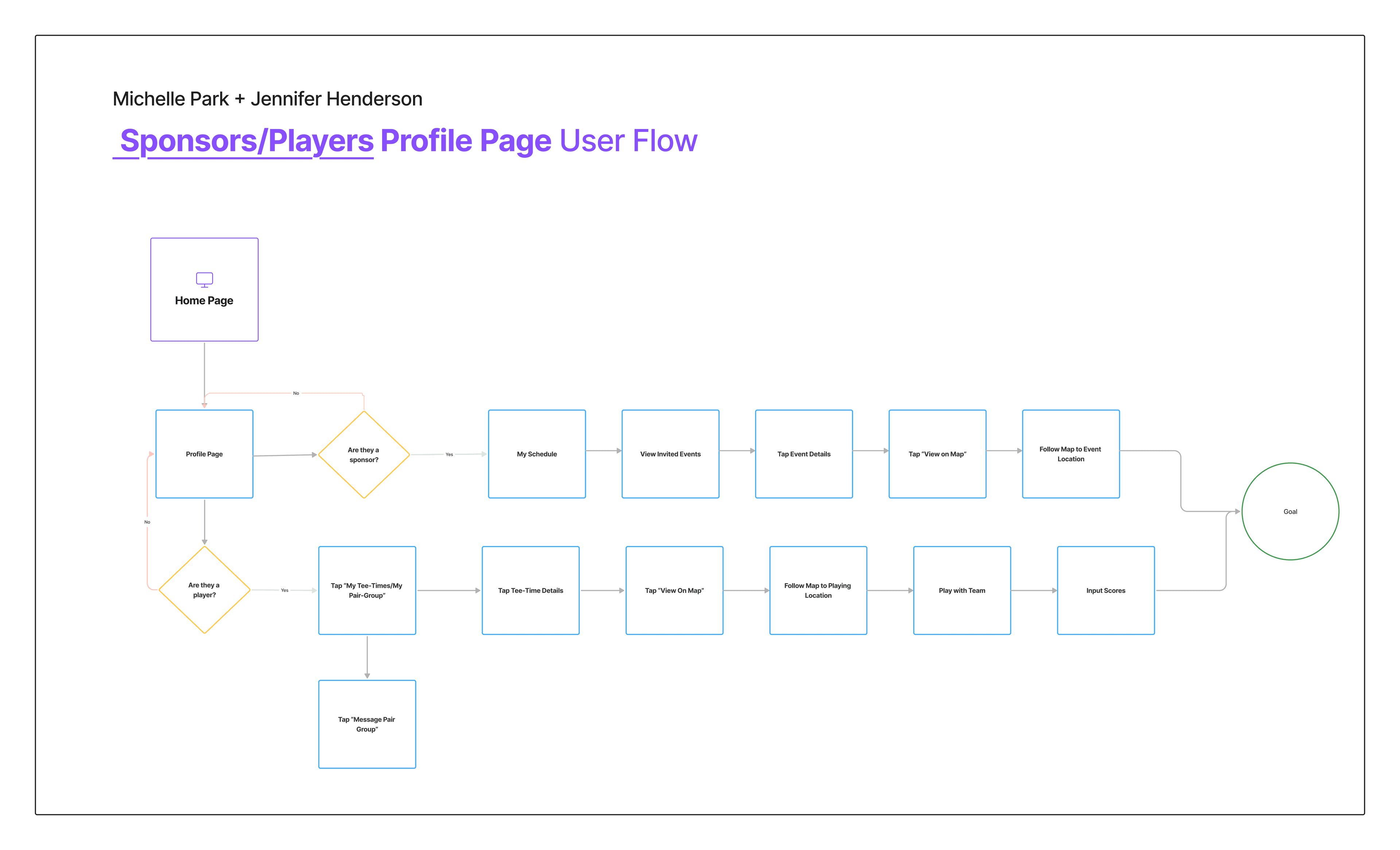
I then created a sitemap and user flows to organize the features and make sure we understood how different parts of the platform would work together. Since we were still learning the tournament terminology and requirements, we shared these with stakeholders to make sure we were heading in the right direction.
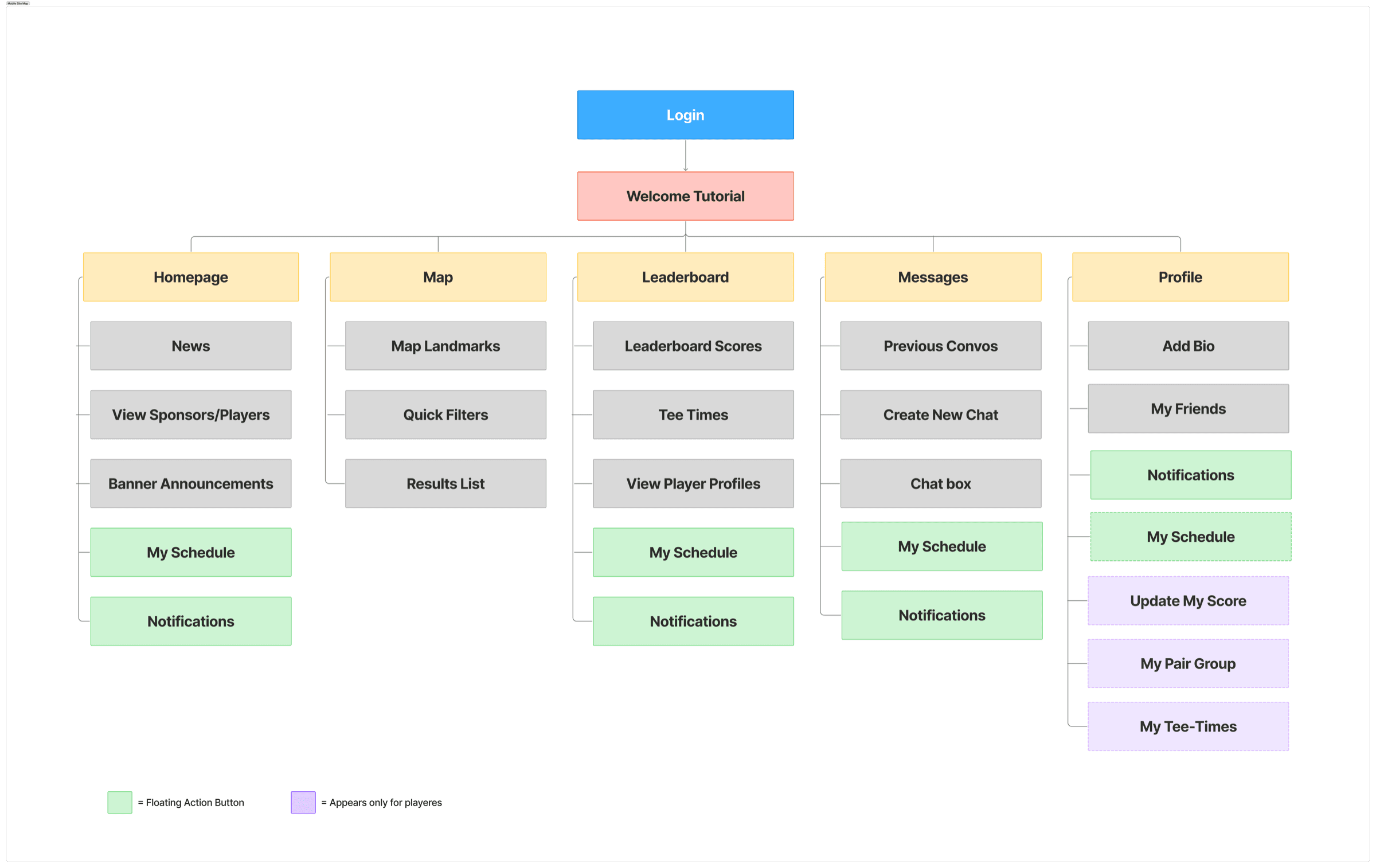
Slide 1 of 3: Initial sitemap
04 / Learning from comparable experiences
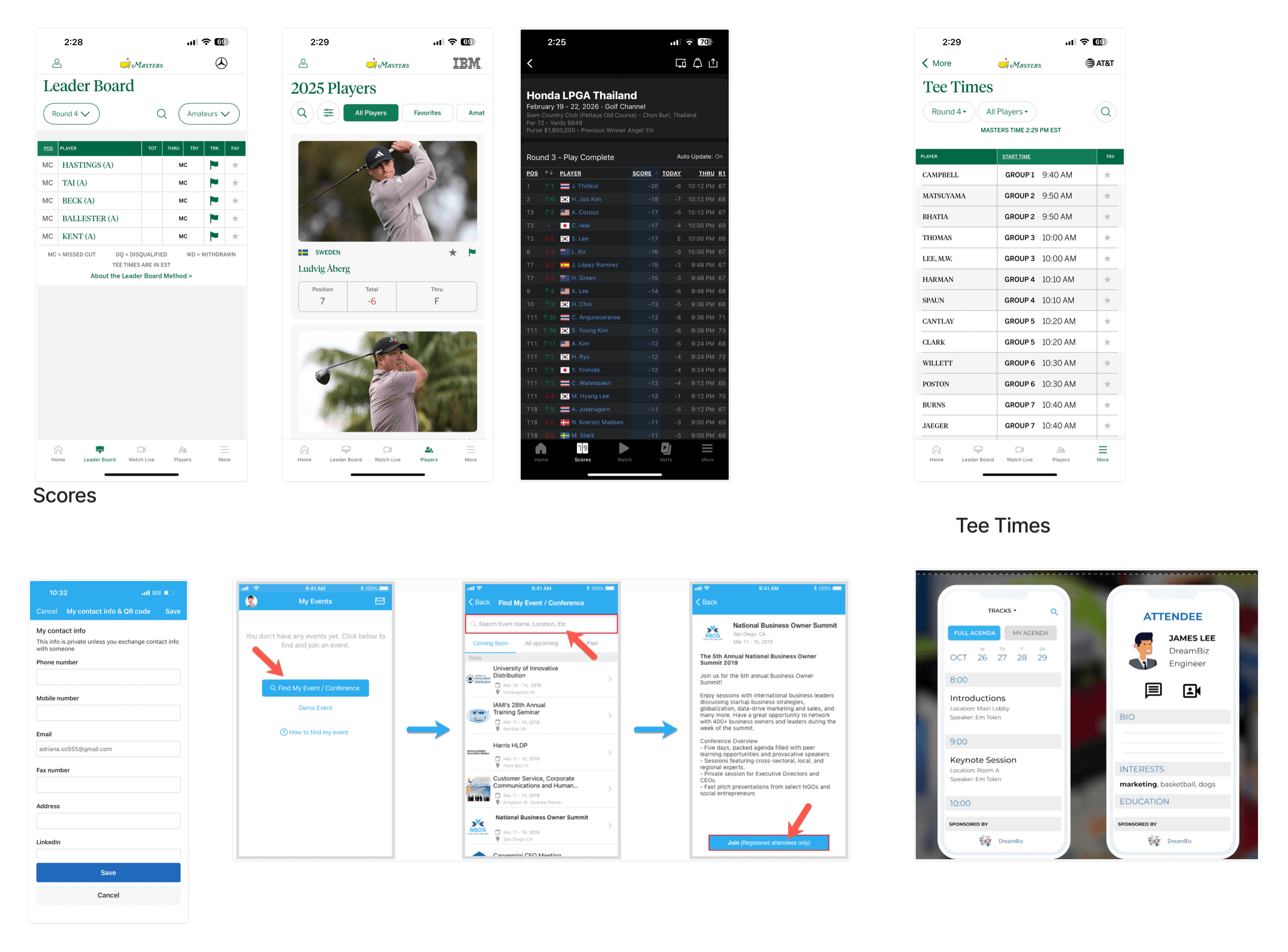
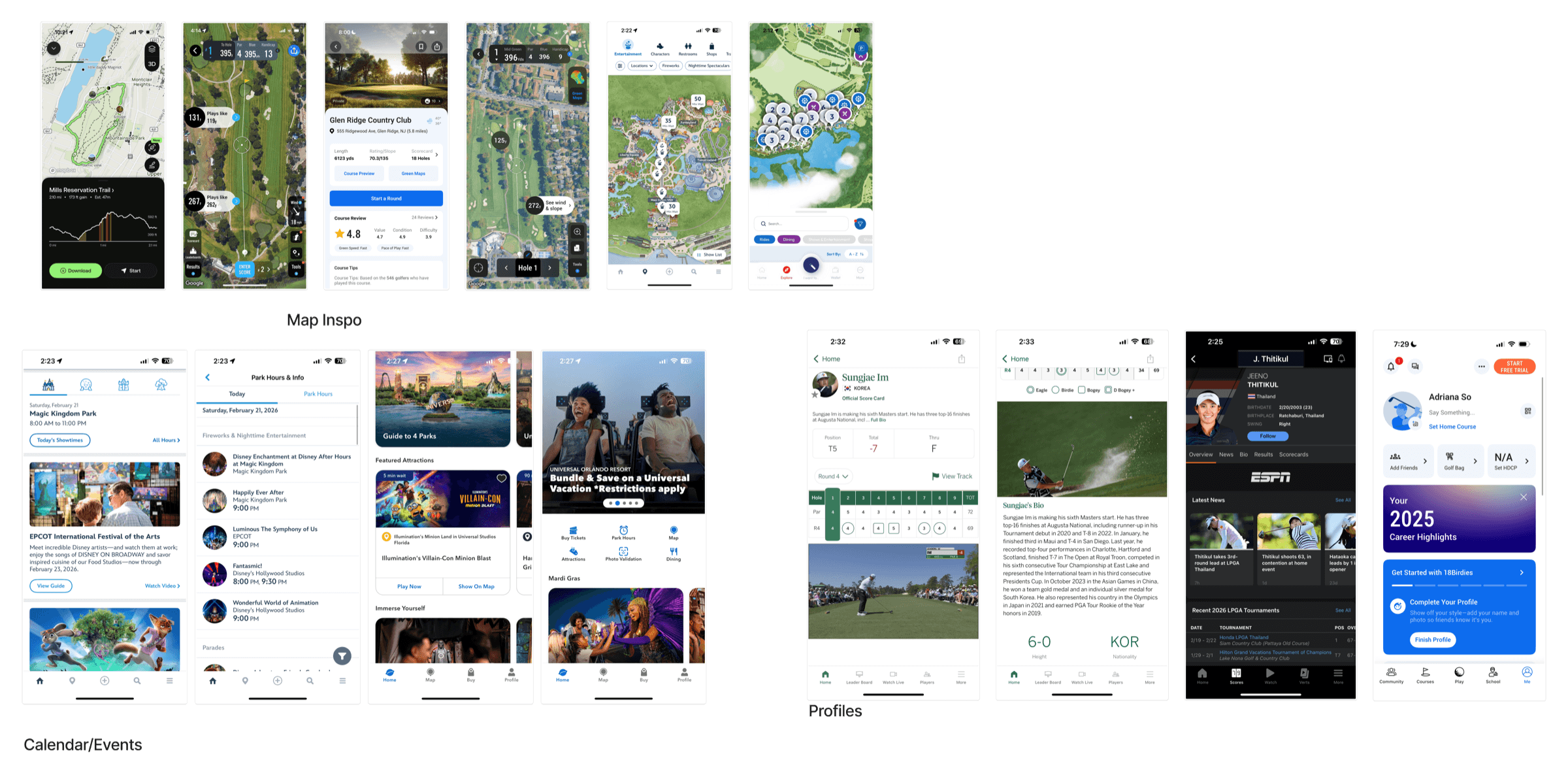
Because our team was unfamiliar with golf-event applications, we reviewed comparable golf and map-based products. I studied conventions for schedules, tee times, scoreboards, player profiles, location categories, and wayfinding.
When looking at other golf apps, we noticed that they used similar terminology and displayed many of the same types of scoring information, such as POS, TOT, THRU, and TDY. Since our team was unfamiliar with golf, this helped us understand what information users would expect to see and gave us a starting point for how to organize our own scoreboards.
We also looked at map based experiences like the Disney app, where users can filter the map by what they are looking for. We used a similar approach for our map so sponsors could filter between locations like parking, entrances, hospitality areas, and other tournament destinations.
Some of the apps we looked at also included more interactive features, like tracking a user's location as they moved around. Because of the technical limitations and the time we had to build the platform, we kept our map focused on filtering and finding important locations instead.
Slide 1 of 2: Moodboard 1
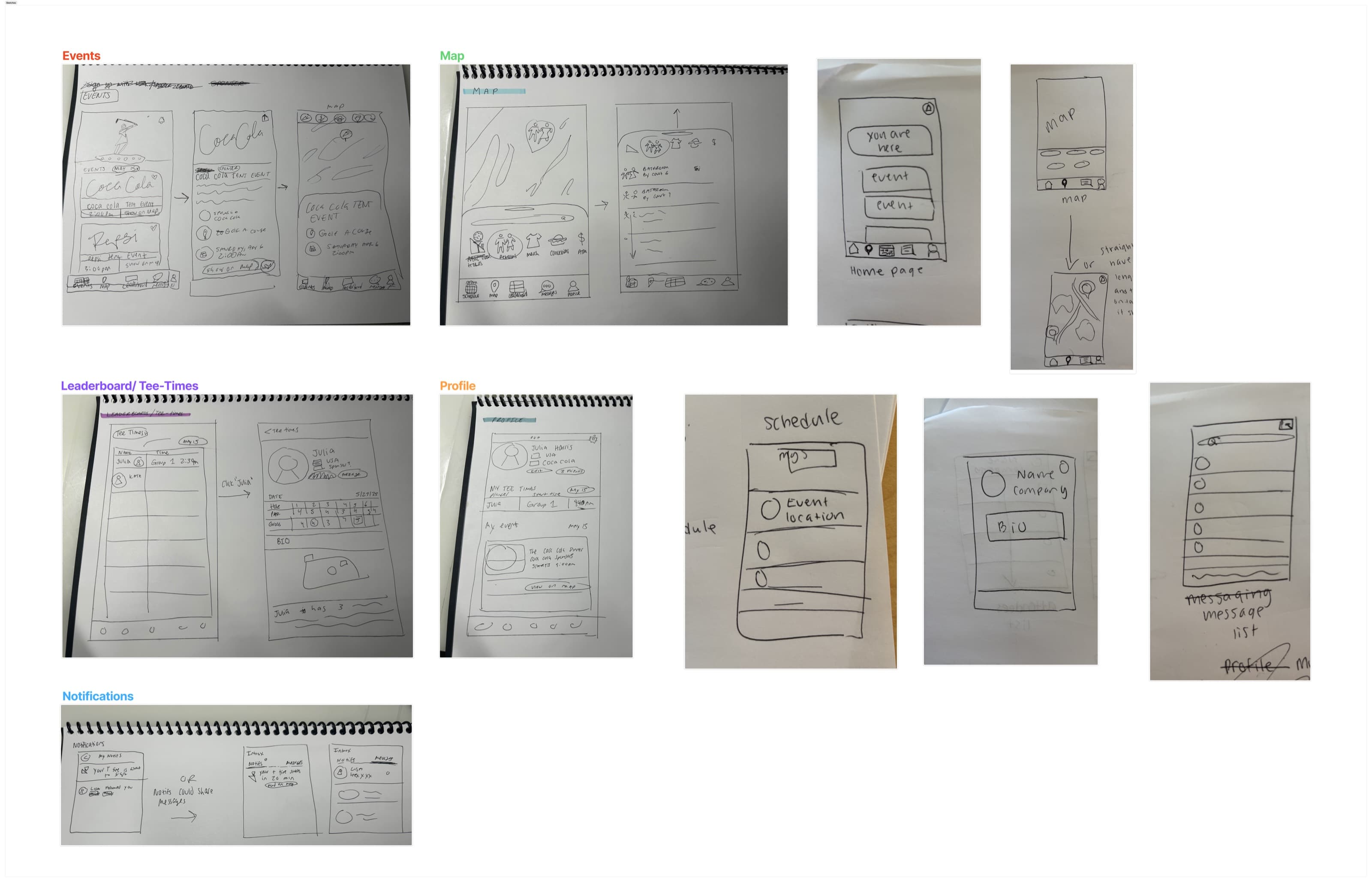
05 / Exploring directions through wireframes
From the competitive analysis, I began wireframing the experience around the features that would matter most during the event.
We reviewed the wireframes together and compared what worked across each direction. Rather than choosing one person’s version, we pulled ideas from each and combined them into one direction for the app.
This gave us a base that we could agree on before moving into higher-fidelity designs. It helped us decide what information needed to be prioritized with the short timeline.
06 / The scope evolved
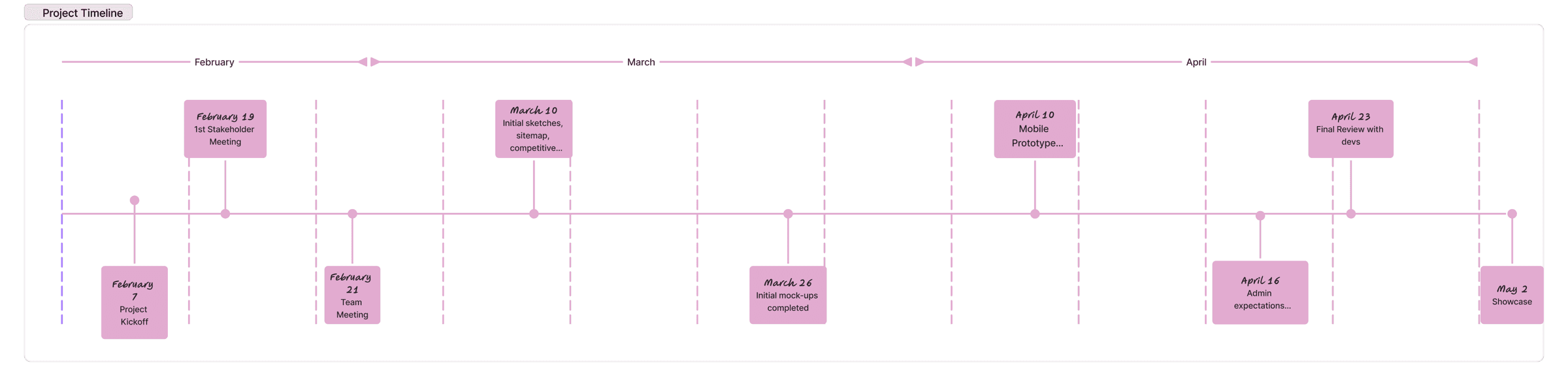
At first, we tried to design for every audience included in the requirements. As the deadline approached, our team had more conversations with our stakeholders. In those meetings, I clarified if there were certain user profiles we should be designing for. Rather than having the initial platform for attendees, players, admin, and sponsors, we narrowed the primary mobile experience to sponsors and administrators who needed to run the app before and during the event.
Sponsors needed relevant event information while administrators needed control over the system providing it.
The team knew from the beginning that some form of administrative functionality would be necessary. We just did not initially understand that our deliverables would include a separate desktop admin platform.
About three weeks before the deadline, we learned that Wakefern wanted the admin experience to be web-based instead. This was a bigger change than simply adjusting the designs because the developers would also need to change what they were building. With the deadline getting closer, I worked closely with them to make sure what I designed was realistic to implement within the time we had left.
Since we had limited time, I focused on the admin features that were needed to support the sponsor app rather than trying to design everything an administrator might eventually need.
07 / Personalize the experience instead of showing everything
A complete event schedule would contain a large amount of information, but not all of it would be relevant to every sponsor.
Sponsors could have access to different events, Pro-Am activities, and hospitality experiences depending on their role, participation, or donation level. Showing every event to every user would require sponsors to determine what applied to them. It could also reveal differences in access that were tied to how much a company contributed to the event.
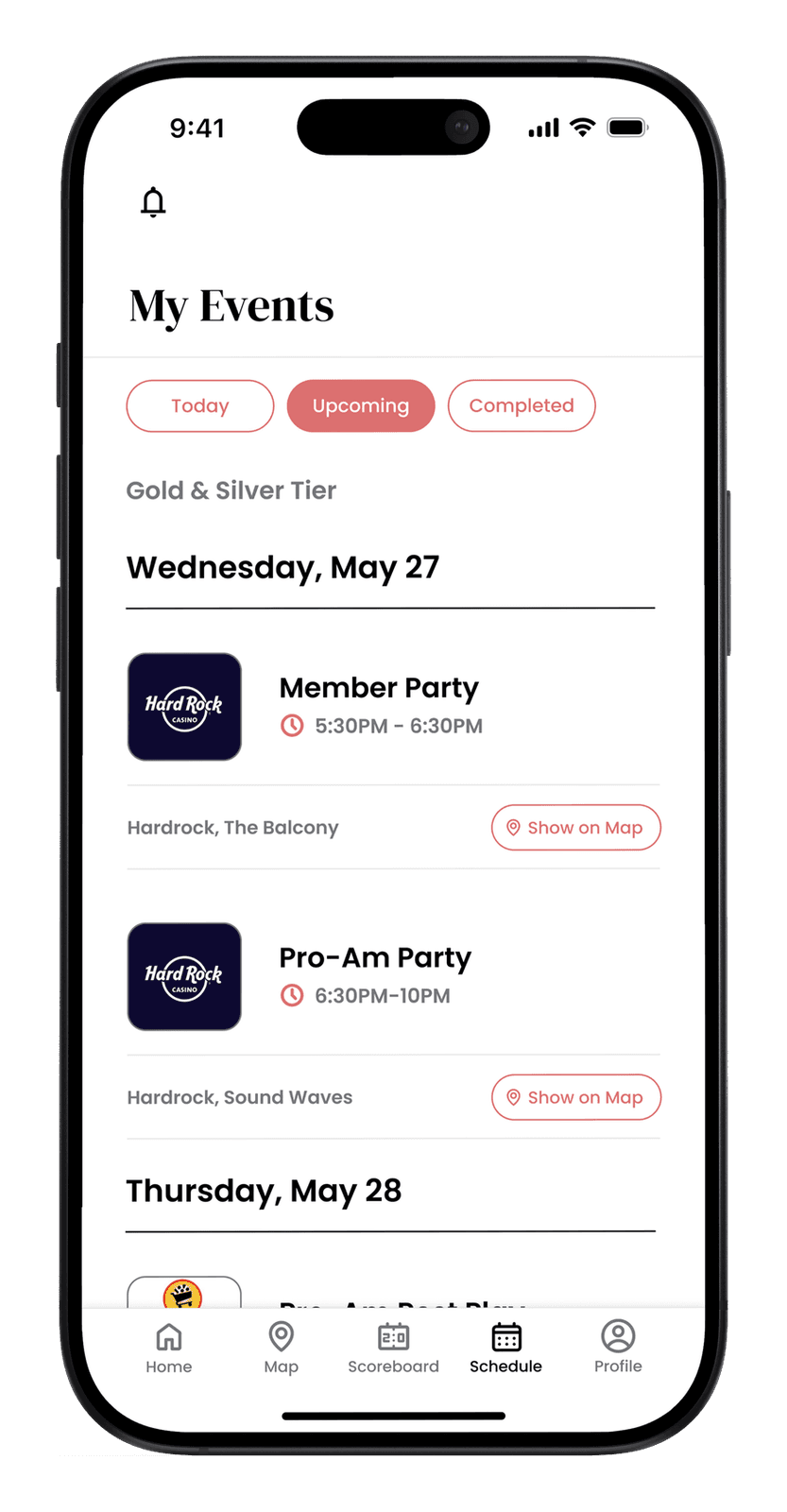
We used a role-aware schedule that showed the events relevant to each sponsor.
For each event, we made the most important information easy to find: what was happening, when it started, where it was, and whether it was part of that sponsor’s schedule.
08 / Design for decisions made during a live event
Because sponsors would often be checking the app while walking around the event, we wanted to make it easy for them to quickly find the information they needed. We made things like the time, location, and current status easier to see without having to search through the rest of the event details.
The event took place across two golf courses and a physical building, so the map was especially important. We included entrances, parking areas, hospitality spaces, sponsor tents, and other important locations so sponsors could easily figure out where they needed to go.
We wanted sponsors to be able to open the app and quickly answer questions like: Where do I need to go? When do I need to be there? Has anything changed?
09 / Connect every sponsor feature to administrative control
Personalizing the sponsor experience also meant administrators needed a way to control what each sponsor could see.
If sponsors received different schedules, administrators needed to manage those schedules and their associated access. If event information changed, staff needed a way to update it. If an announcement was time-sensitive, administrators needed to publish it without relying on engineering for routine changes.
10 / Reflection
One of my biggest takeaways from this project was learning to be comfortable with change and asking questions when something was unclear. The requirements continued to change throughout the project, and sometimes we could not move forward with a feature until we got more information from Wakefern.
I learned that the best way to stay on track was to ask specific questions, get feedback often, and not get too attached to one direction. Working with a real company also showed me that requirements are not always going to be completely defined from the beginning. Priorities can change, new information can come up, and you need to be able to adjust quickly when they do.
With more time, I would have also liked to test the experience directly with sponsors and administrators, especially the personalized schedules, map, and the admin features they would use most often during the event.
11 / Outcome
By the end of the three months, we had designed two connected experiences: a mobile app for sponsors and a web platform for Wakefern to manage the information behind it.
The final designs were approved by Wakefern to move forward with production for a future ShopRite LPGA Classic. While the platform was not launched during the tournament we designed it for, we were able to take the project from a broad set of requirements to a complete experience that could be handed off for implementation.
I presented the final designs directly to Wakefern executive leadership and at NJIT’s capstone showcase. Our frontend team earned second place in our judging group, while the backend team implementing the platform earned first place in a separate group.